I've shaped how people advertise on Meta, and sell on Walmart — turning the most ambiguous problems into something that just flows.
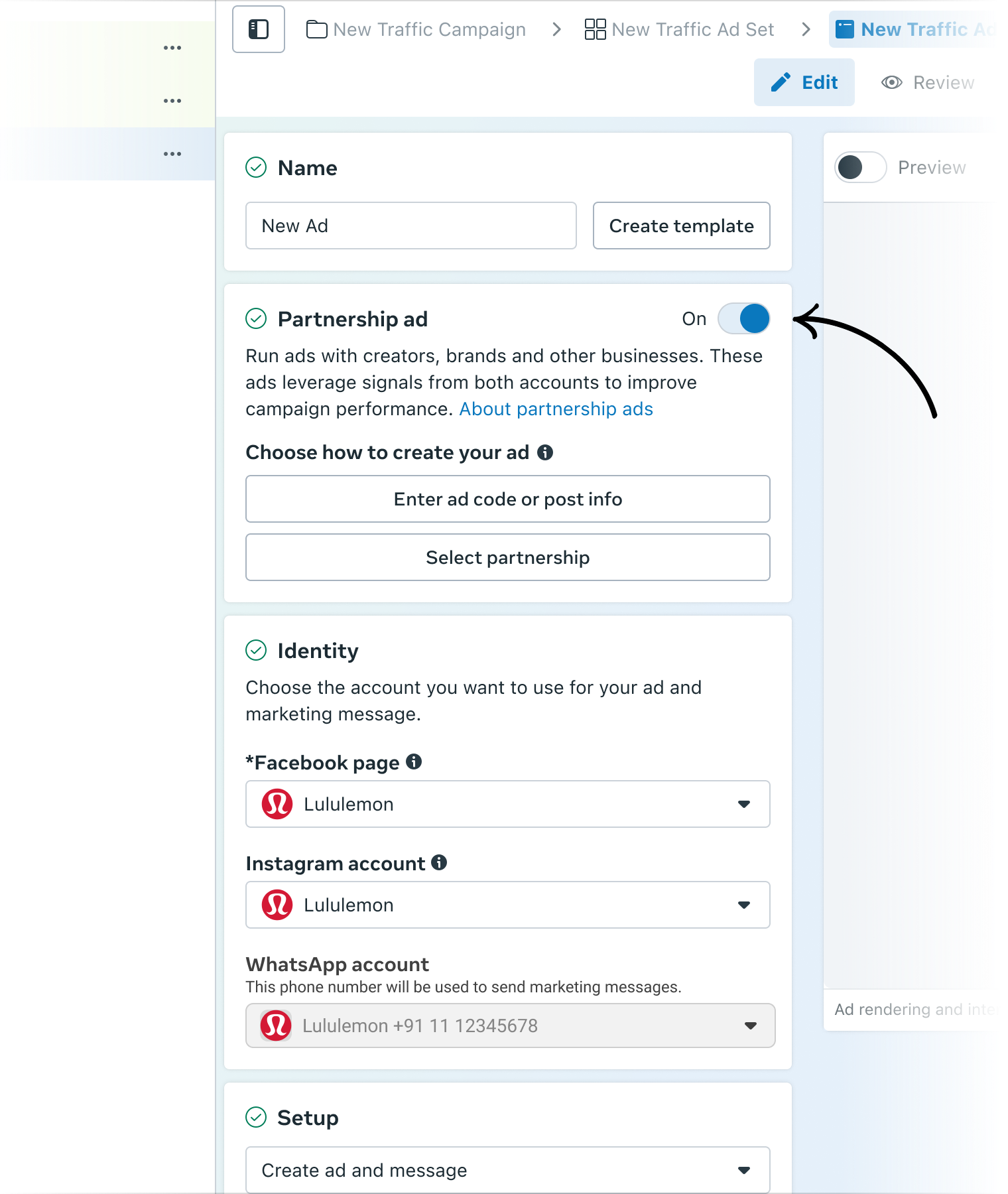
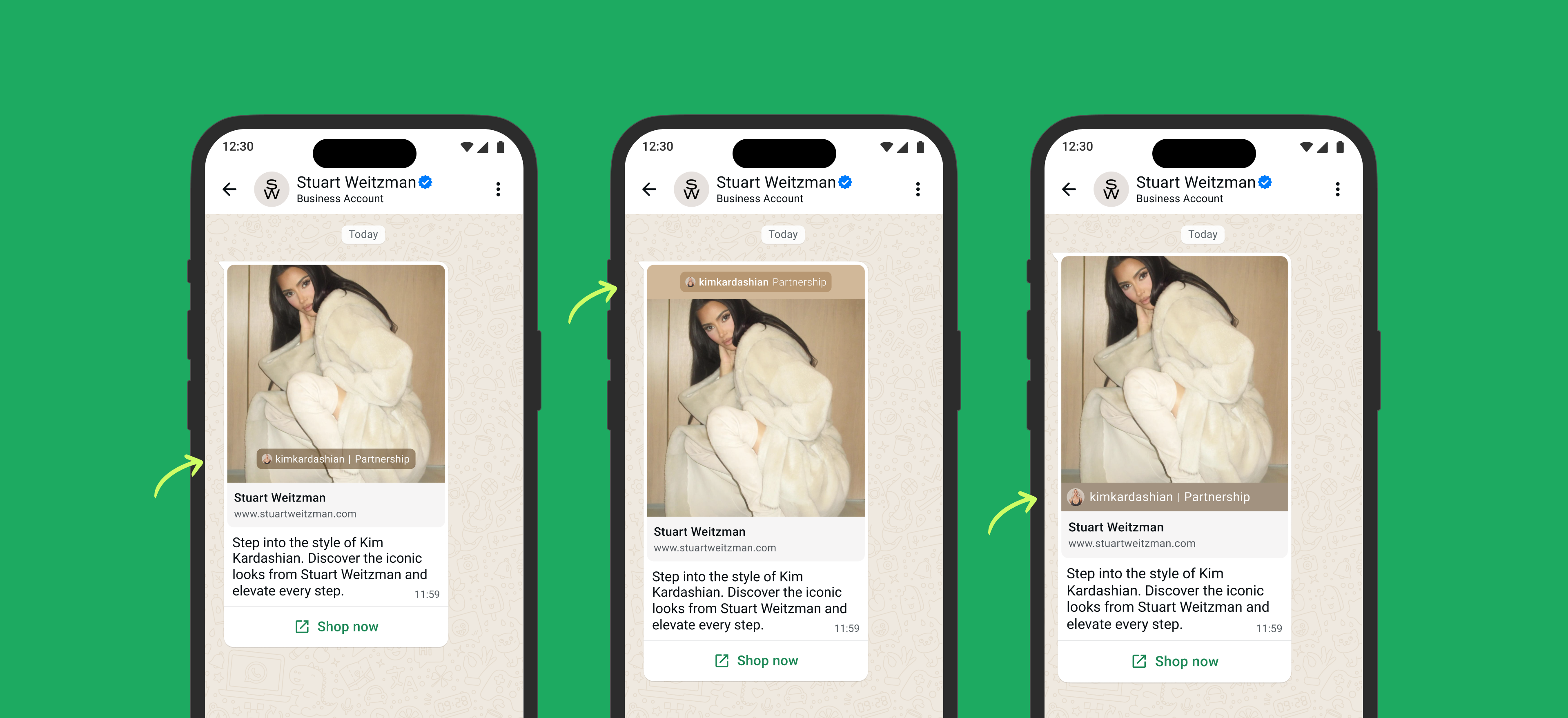
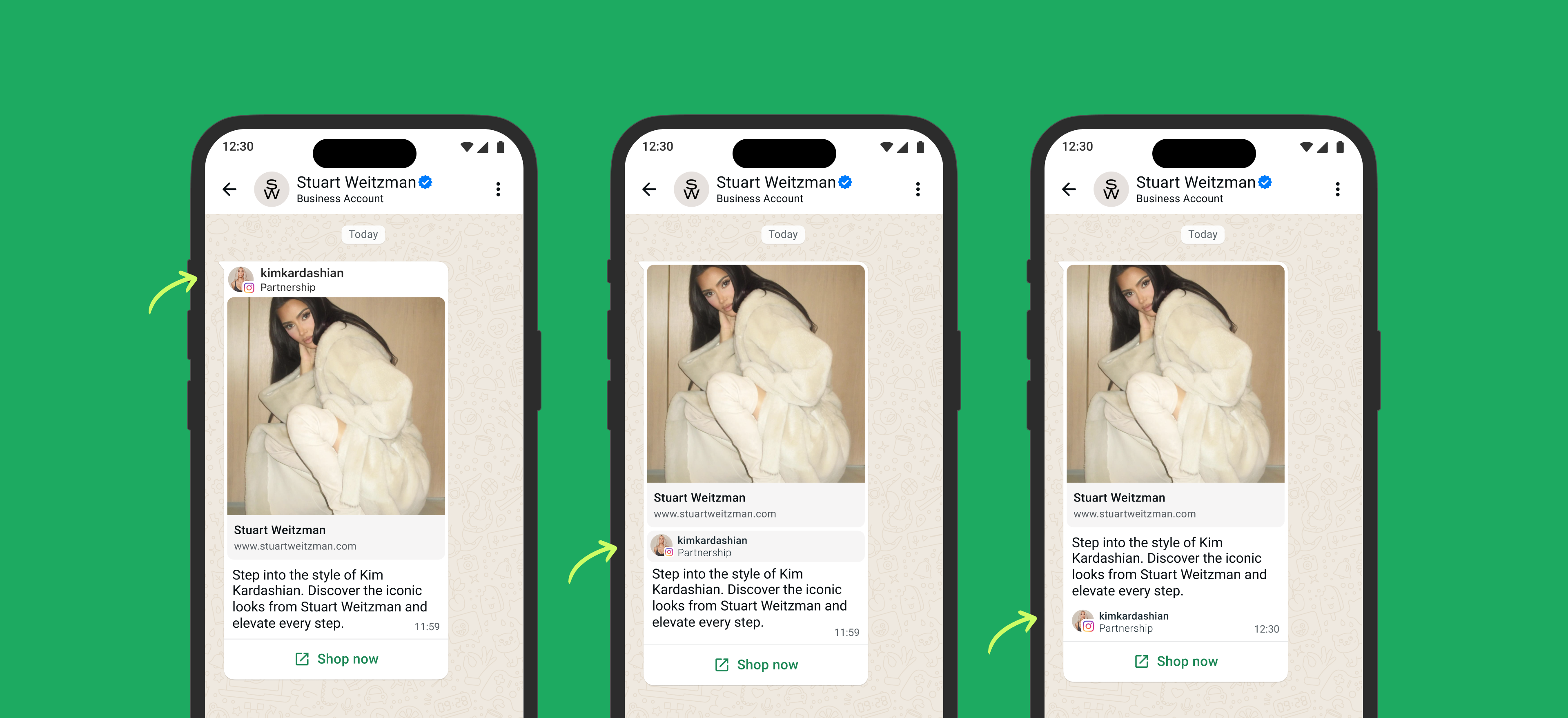
Restructured how Marketing messages are created in Ads Manager — introducing multi-text options and AI-powered text generation for advertisers.
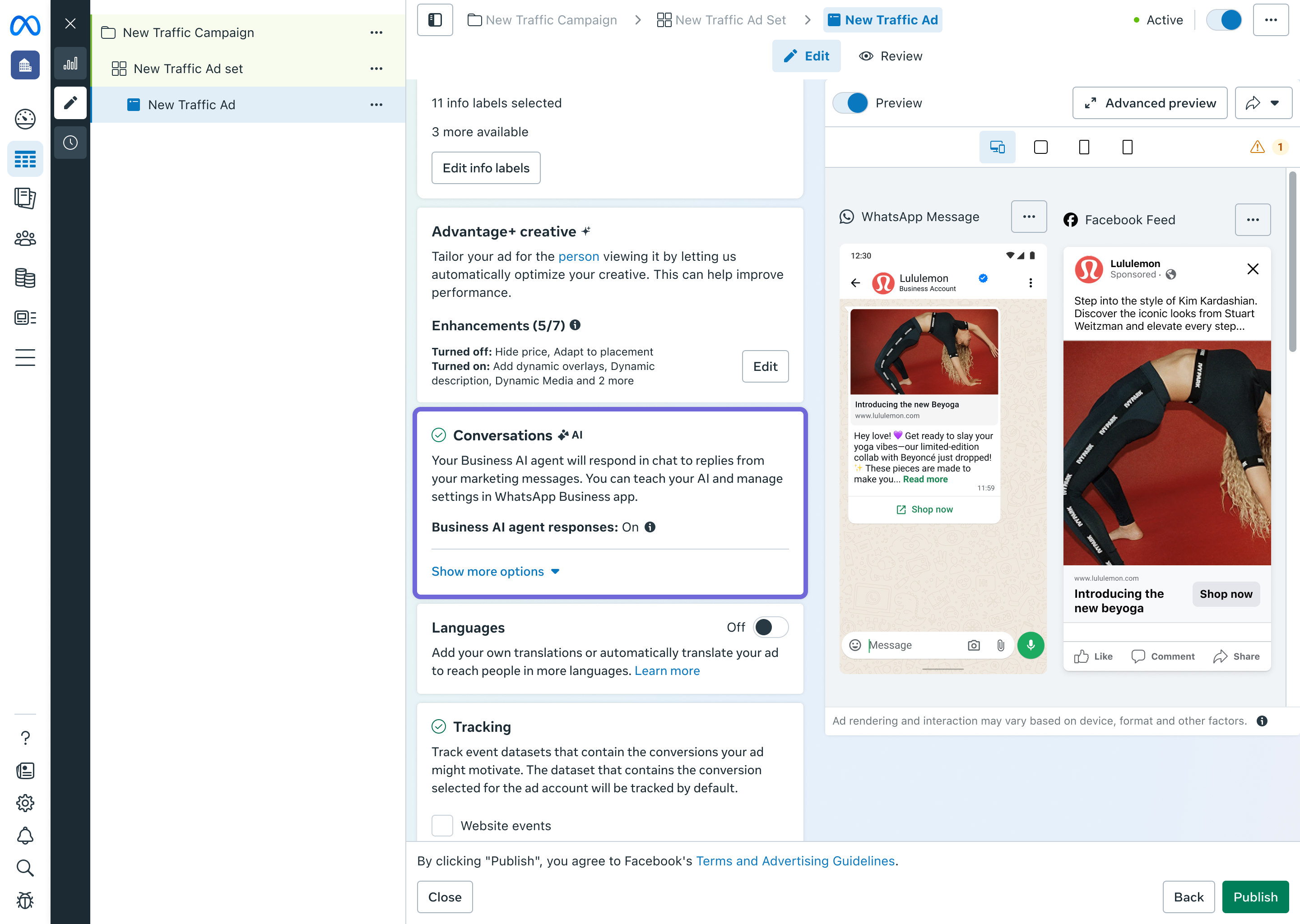
Created the Conversations experience for Marketing messages in Ads Manager, enabling businesses to manage and automate how they respond to customers at scale.
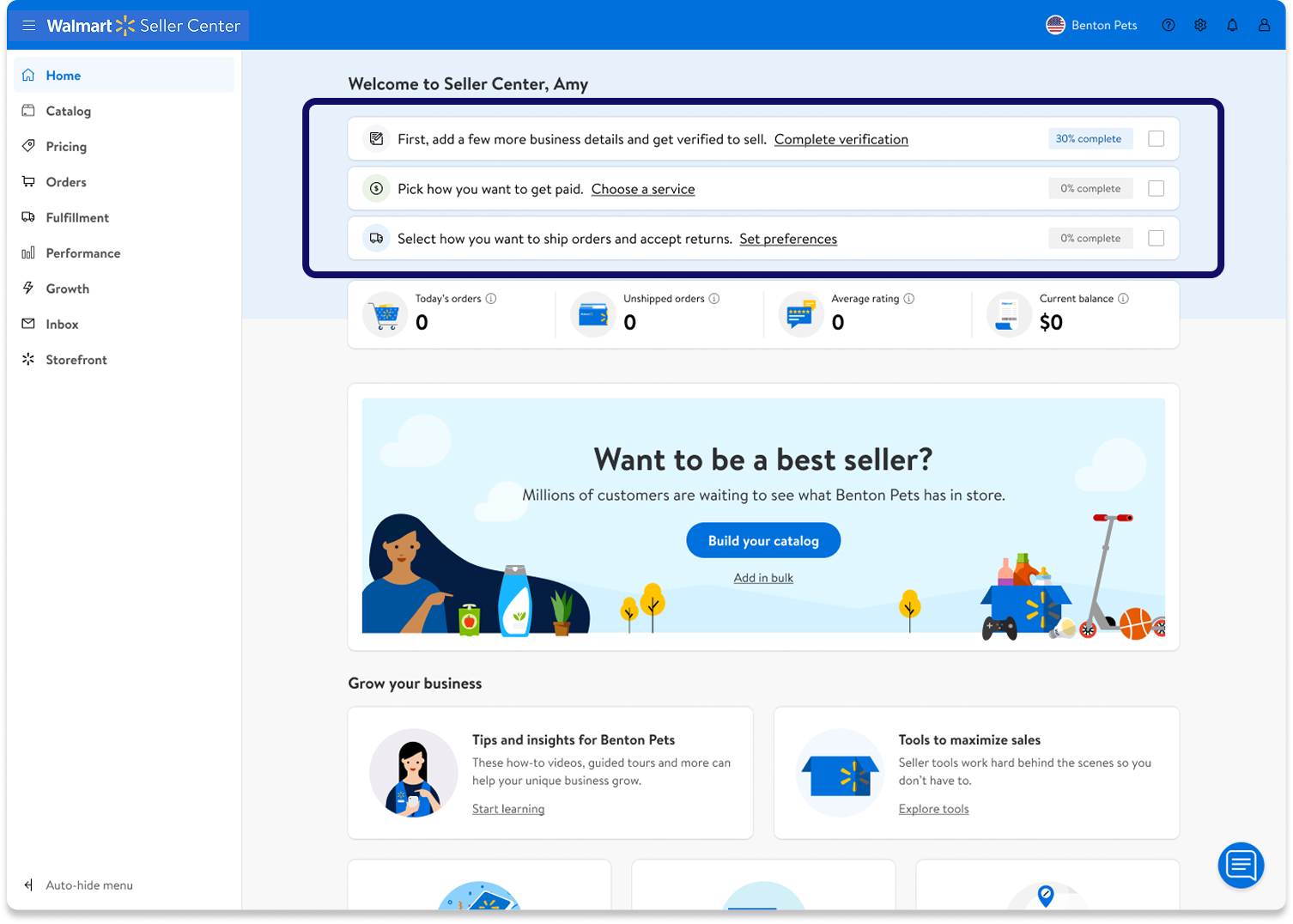
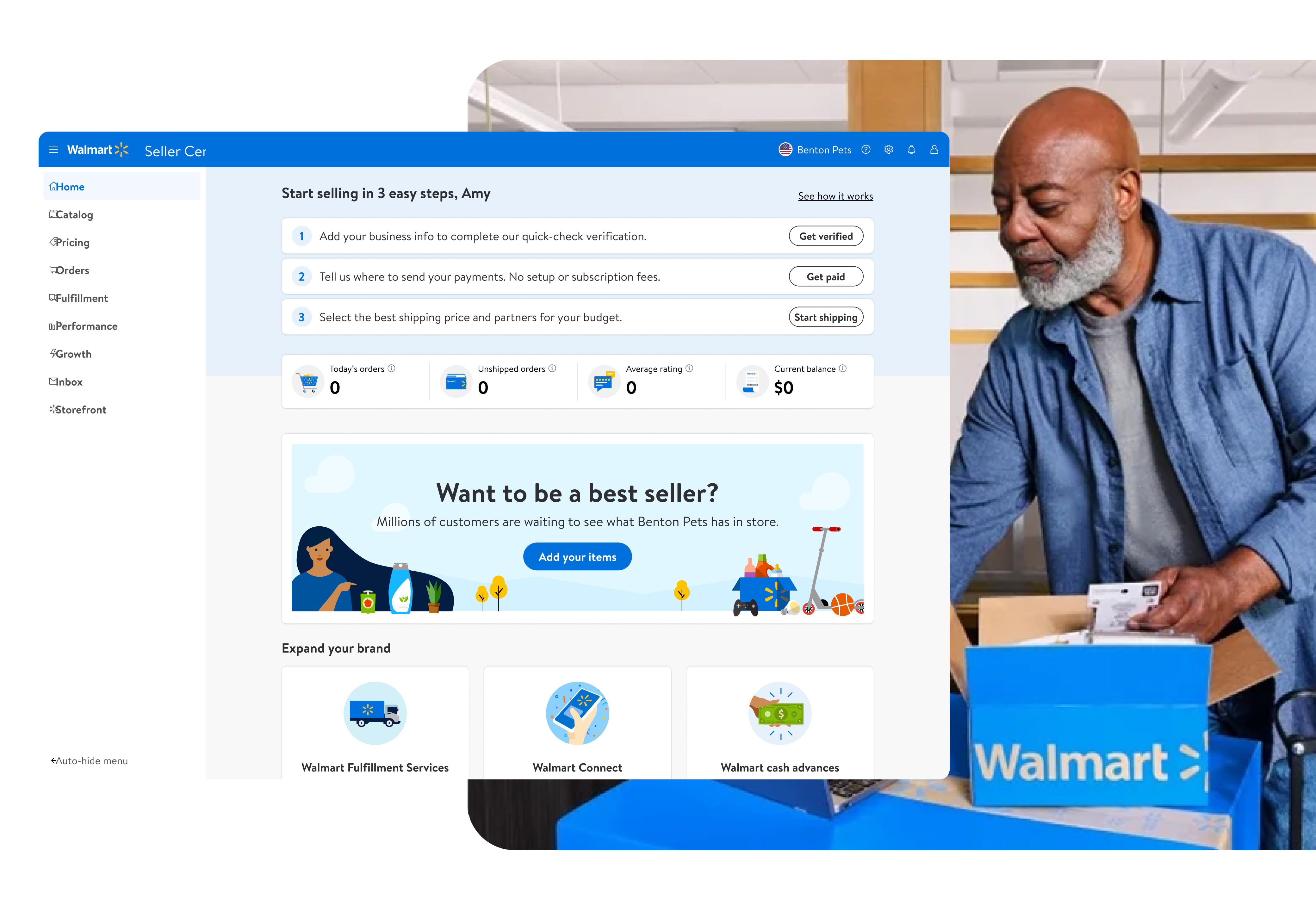
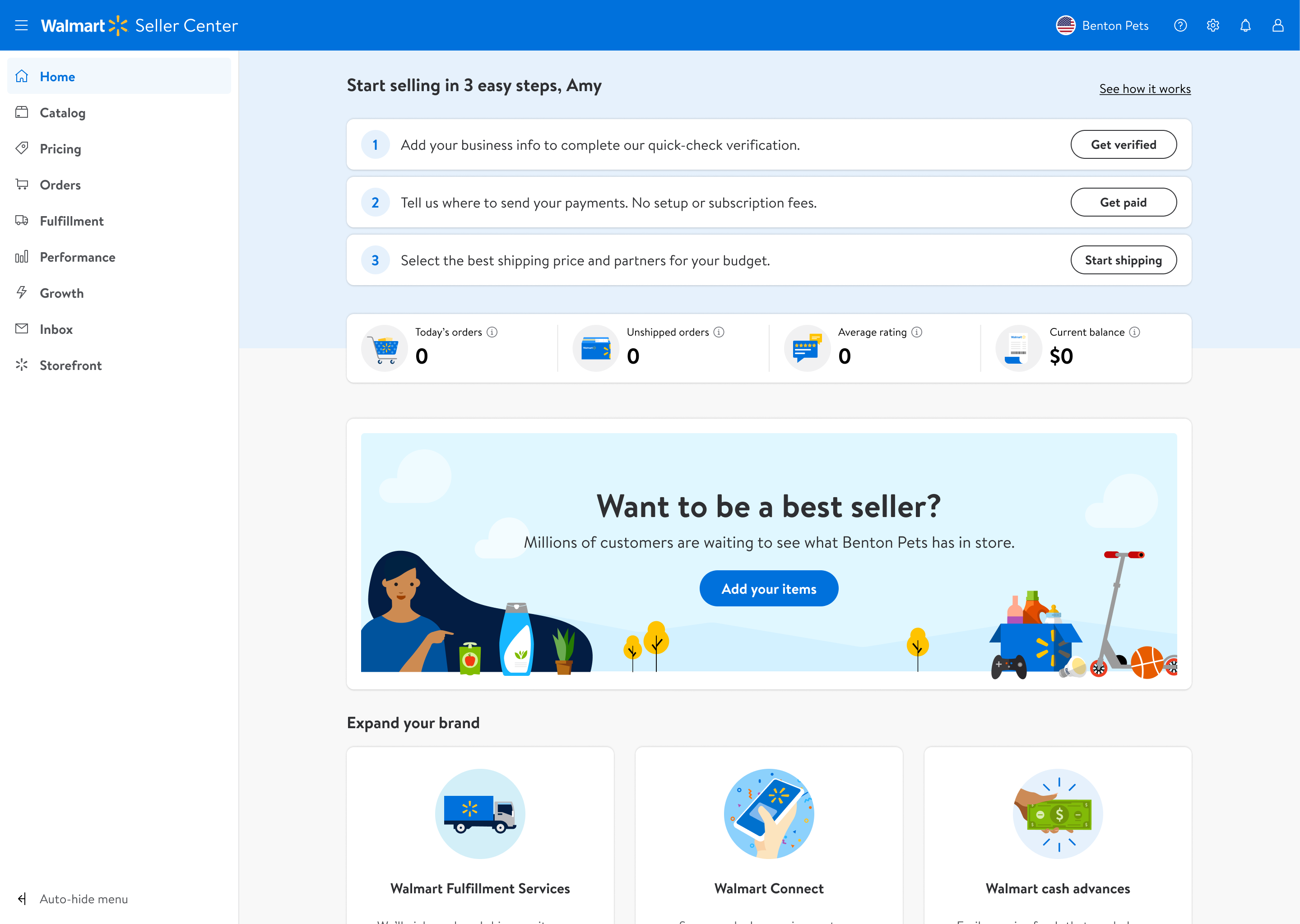
Built the first Seller Center homepage for Walmart sellers and redesigned the onboarding and communications experience, driving a +12 NPS lift.
About
A product designer based in the Bay Area (San Jose).
Most recently I was at Meta, leading the Marketing message experience team — building 0→1 AI-powered creative tools and working closely with PMs, engineers, and data scientists along the way.
Before that, I was at Walmart Marketplace leading the seller acquisition and communications team — designing the Seller Center homepage, onboarding, notifications, and the overall seller experience.
Earlier in my career I did a completely different kind of design — experiential and brand work. Different medium, same job: I've always been a designer.

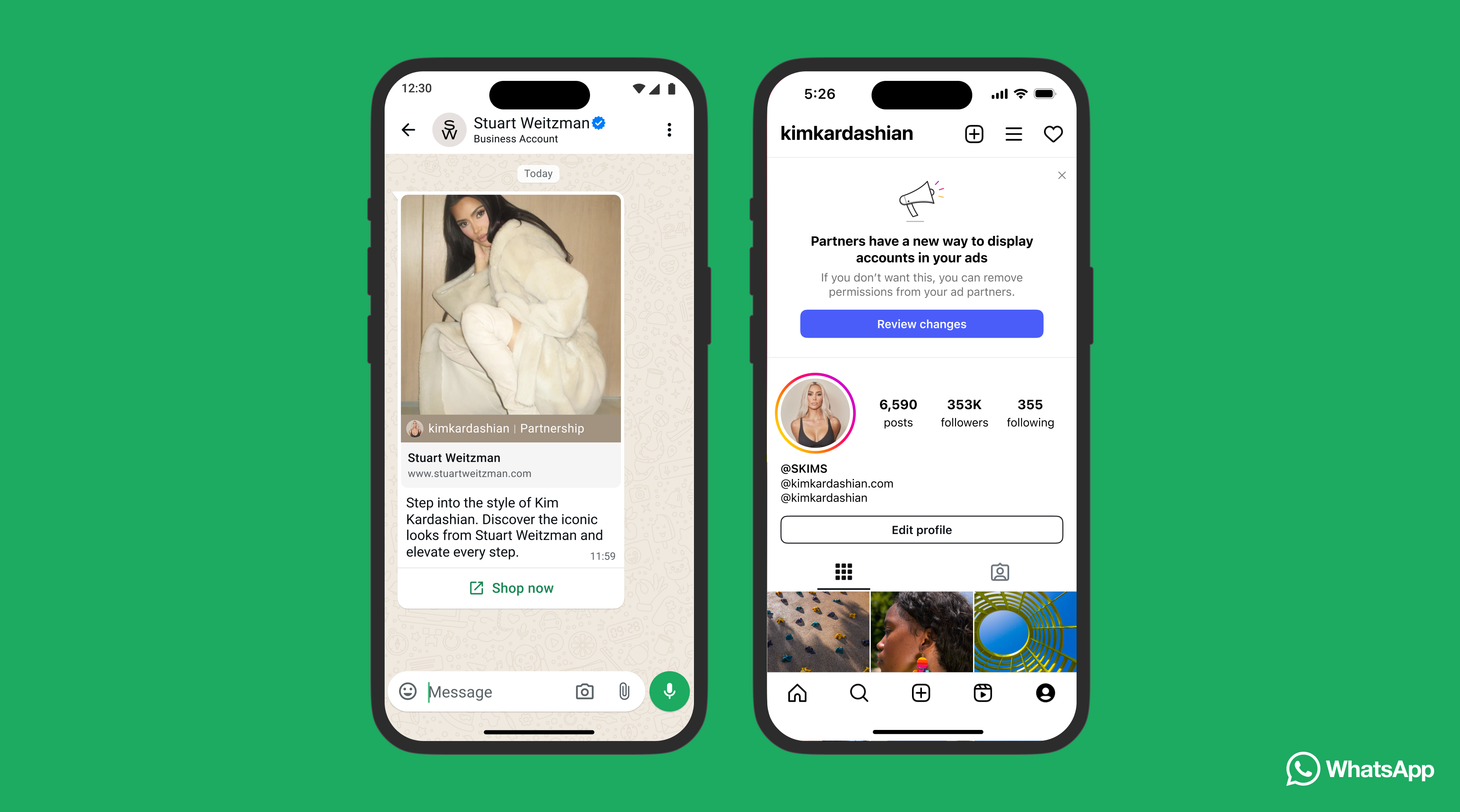
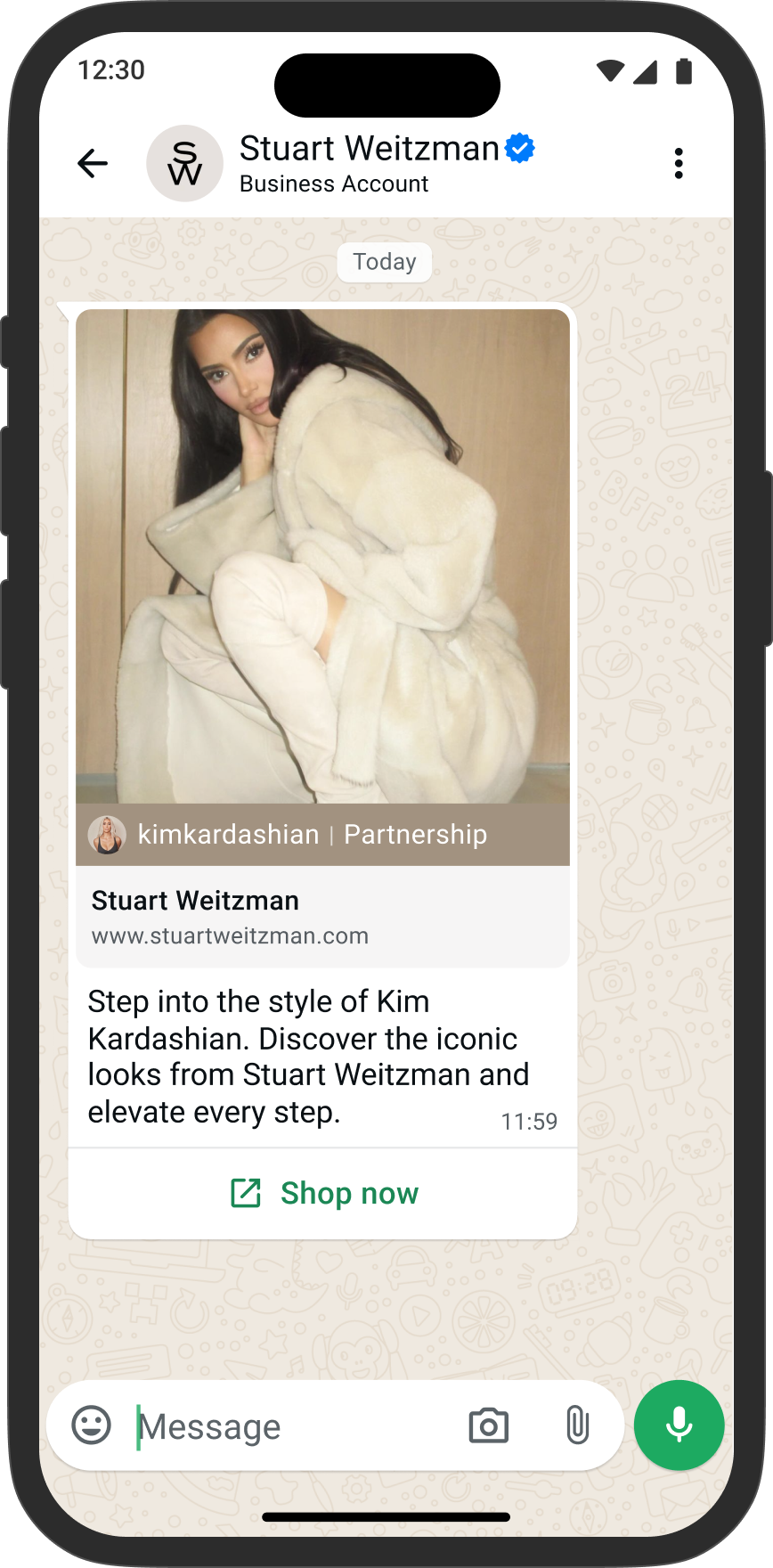
Marketing messages (MM) are a message-based format — distinct from standard ads — that lets businesses send promotional messages directly to customers who have opted in via WhatsApp, Instagram, or Messenger. This project focused on WhatsApp.
I led design across multiple projects combined into three phases — restructuring how MM fits into the creative flow, building multi-text optimization on top of it, and defining a unified future direction. Since the Ads team owns the broader Creative space in Ads Manager, close alignment with them was a constant throughout — not just a one-time handoff.
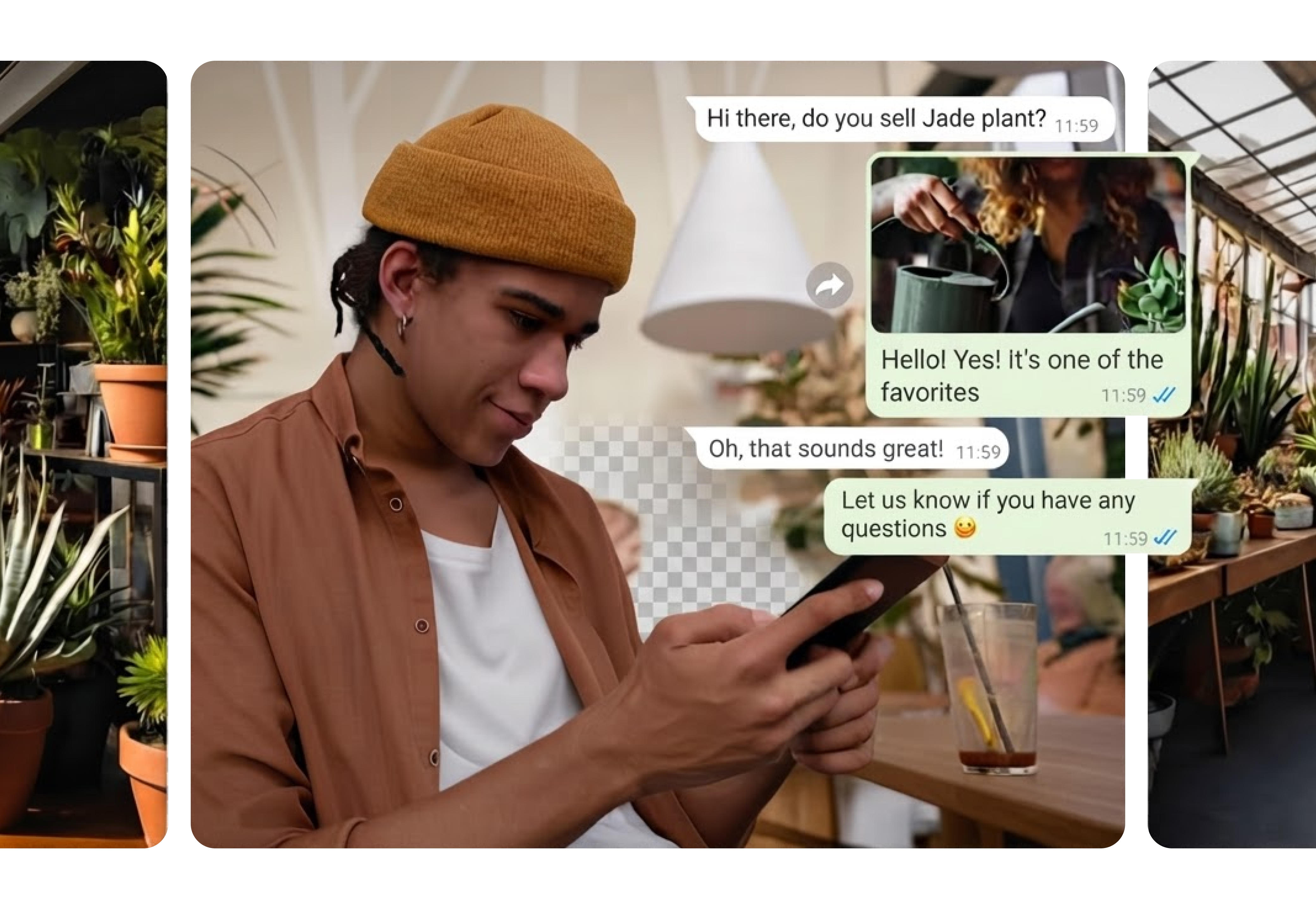
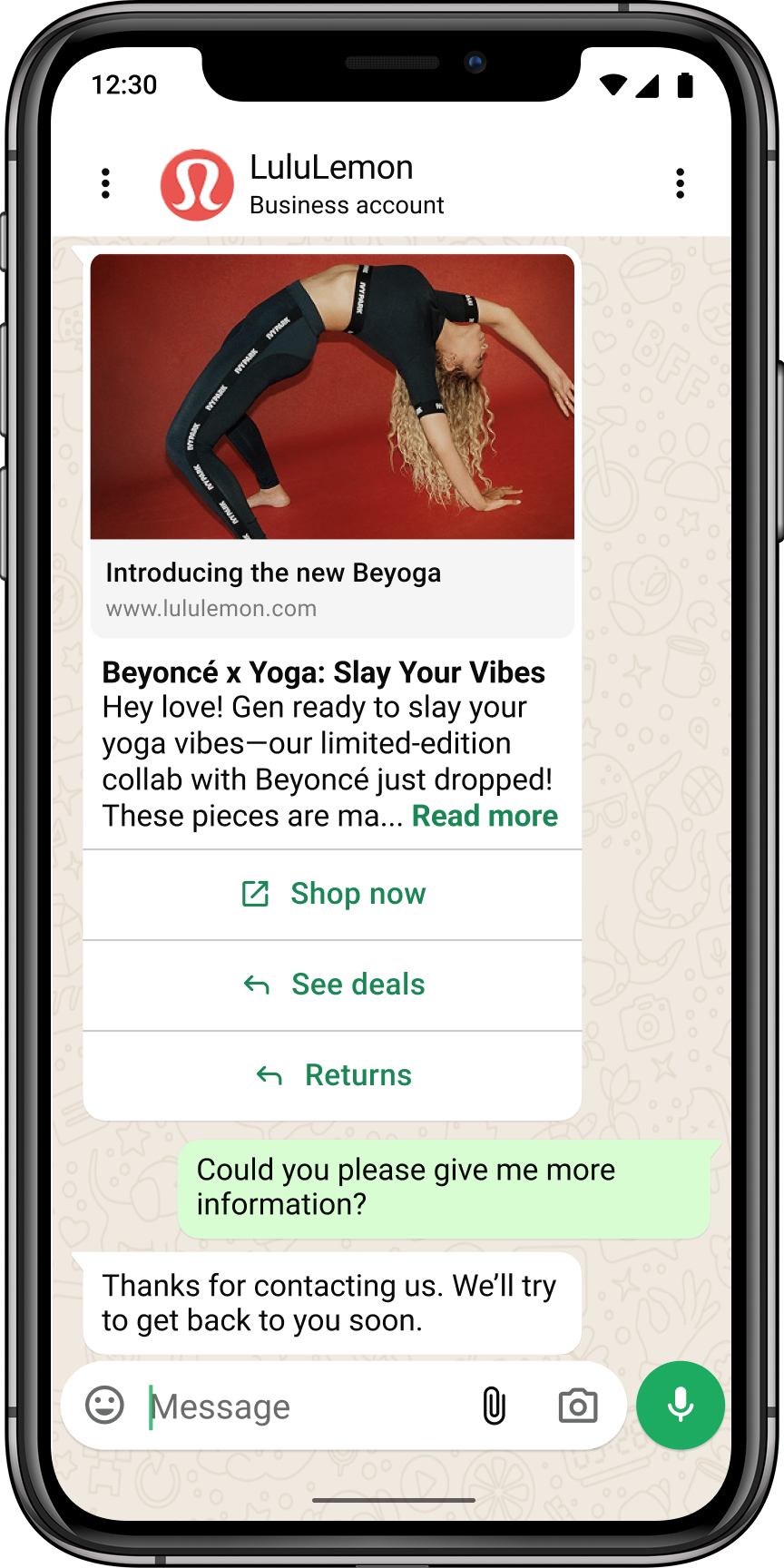
A WhatsApp Marketing message is a promotional message businesses send directly to customers who have opted in — delivered to their WhatsApp inbox, not a feed. Unlike standard ads, when a consumer replies, it opens a real conversation.
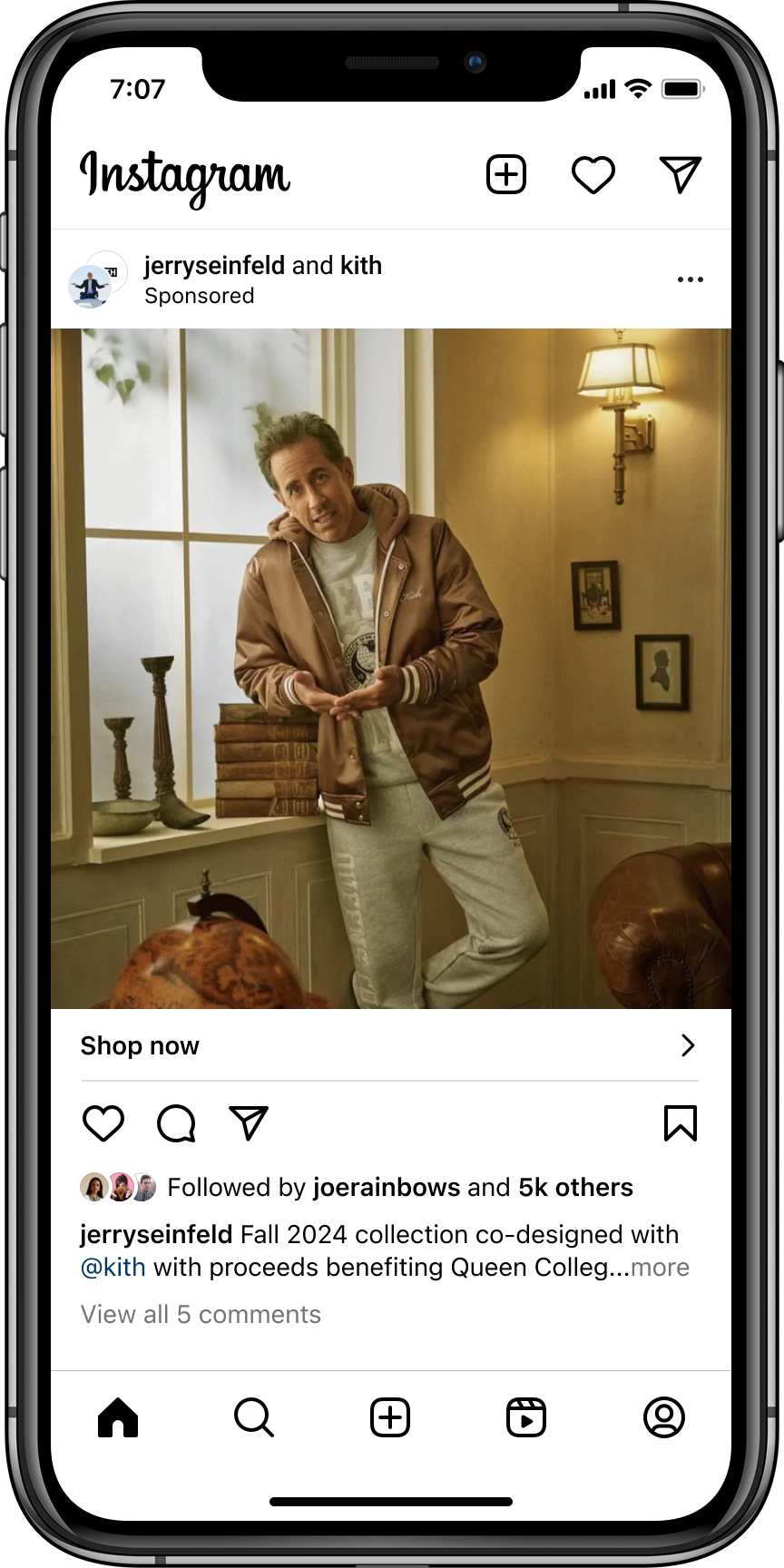
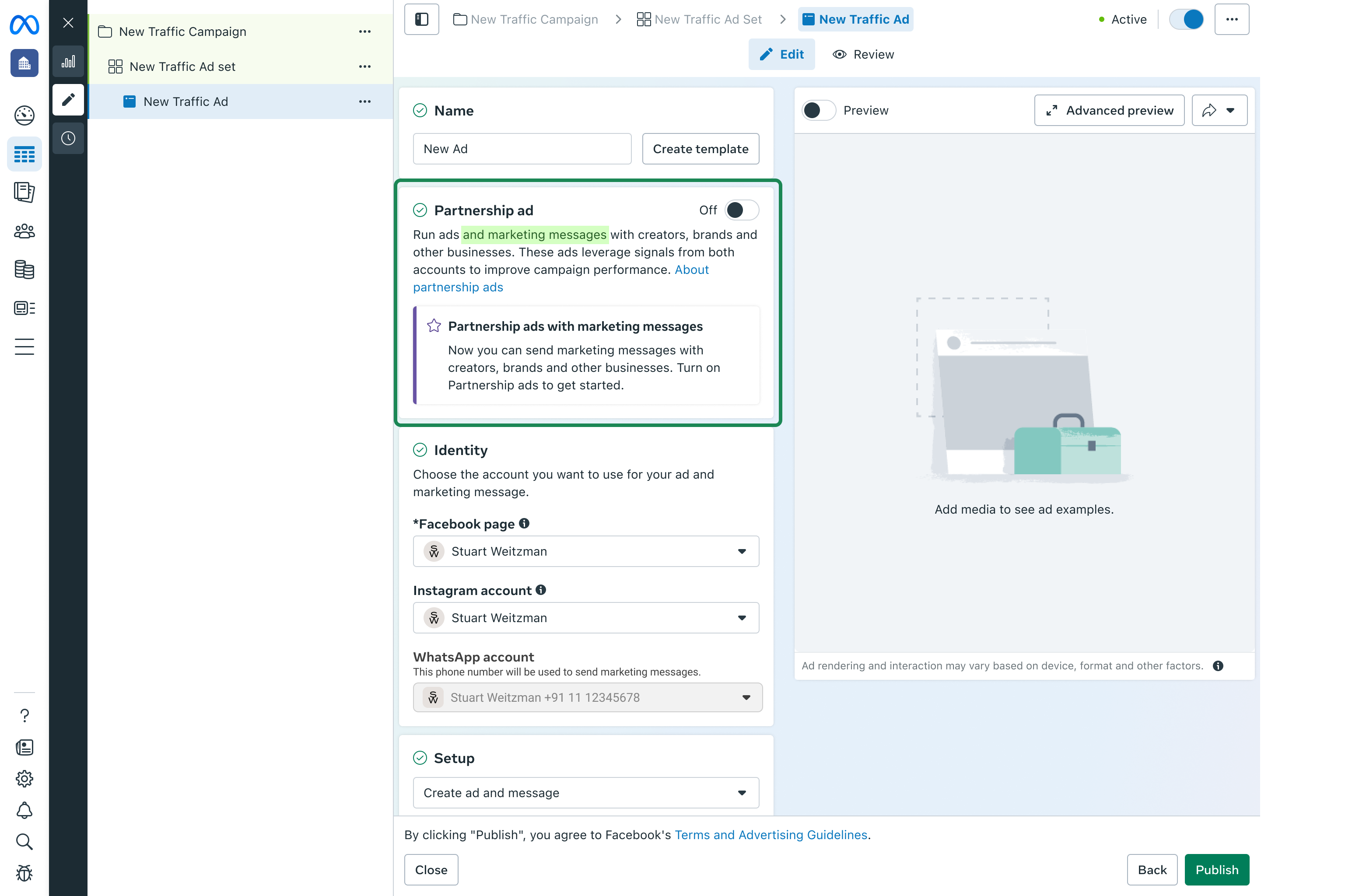
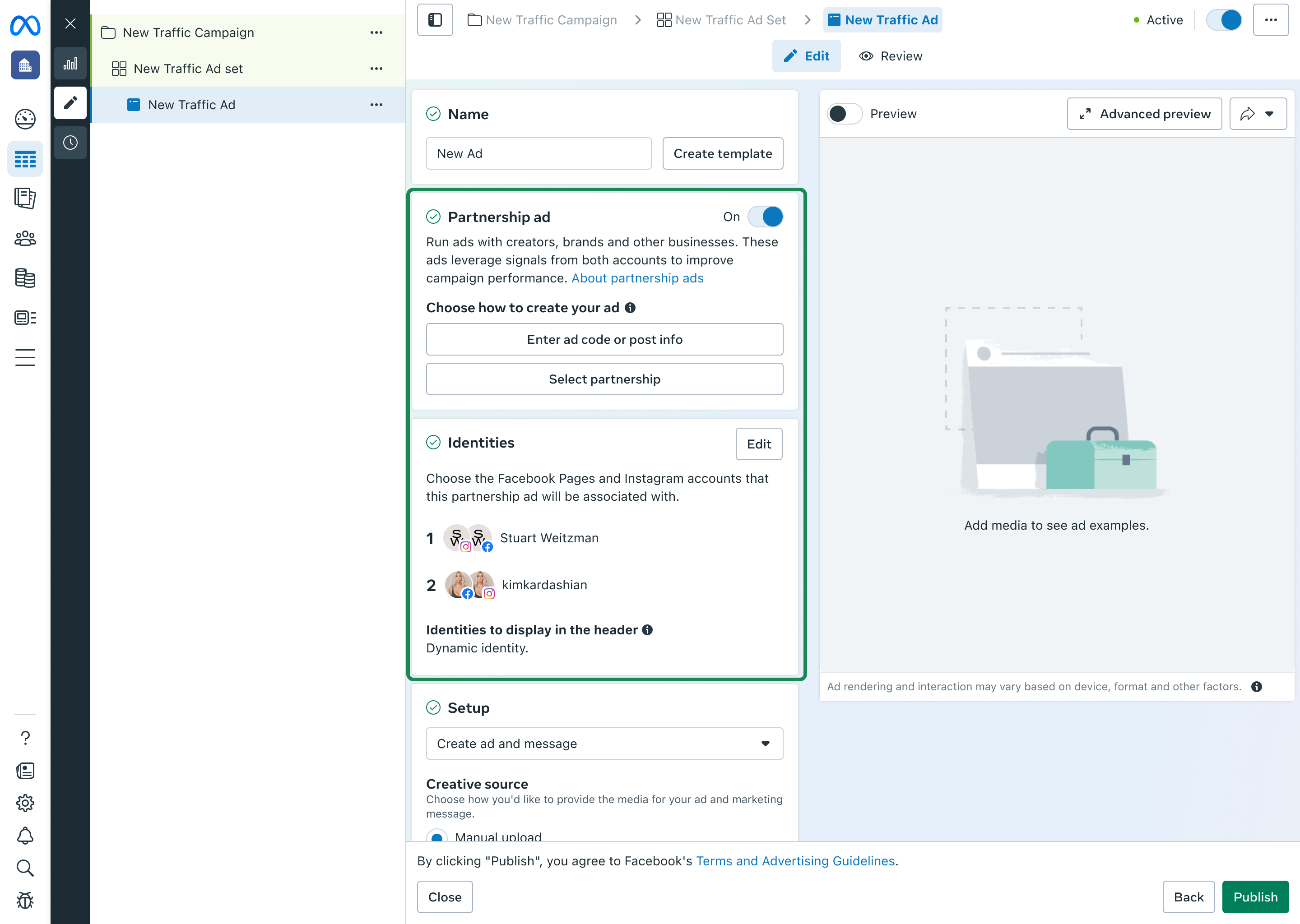
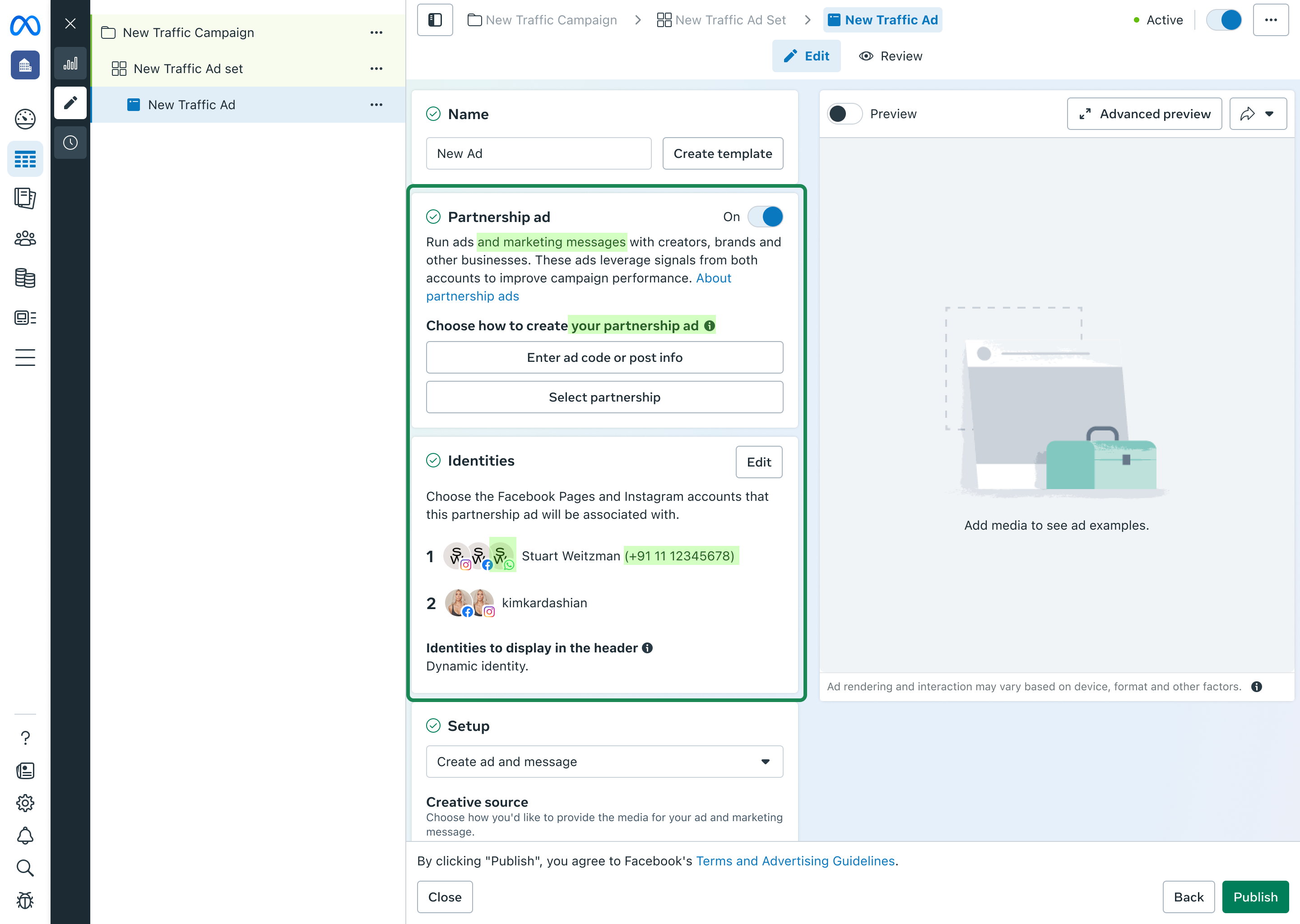
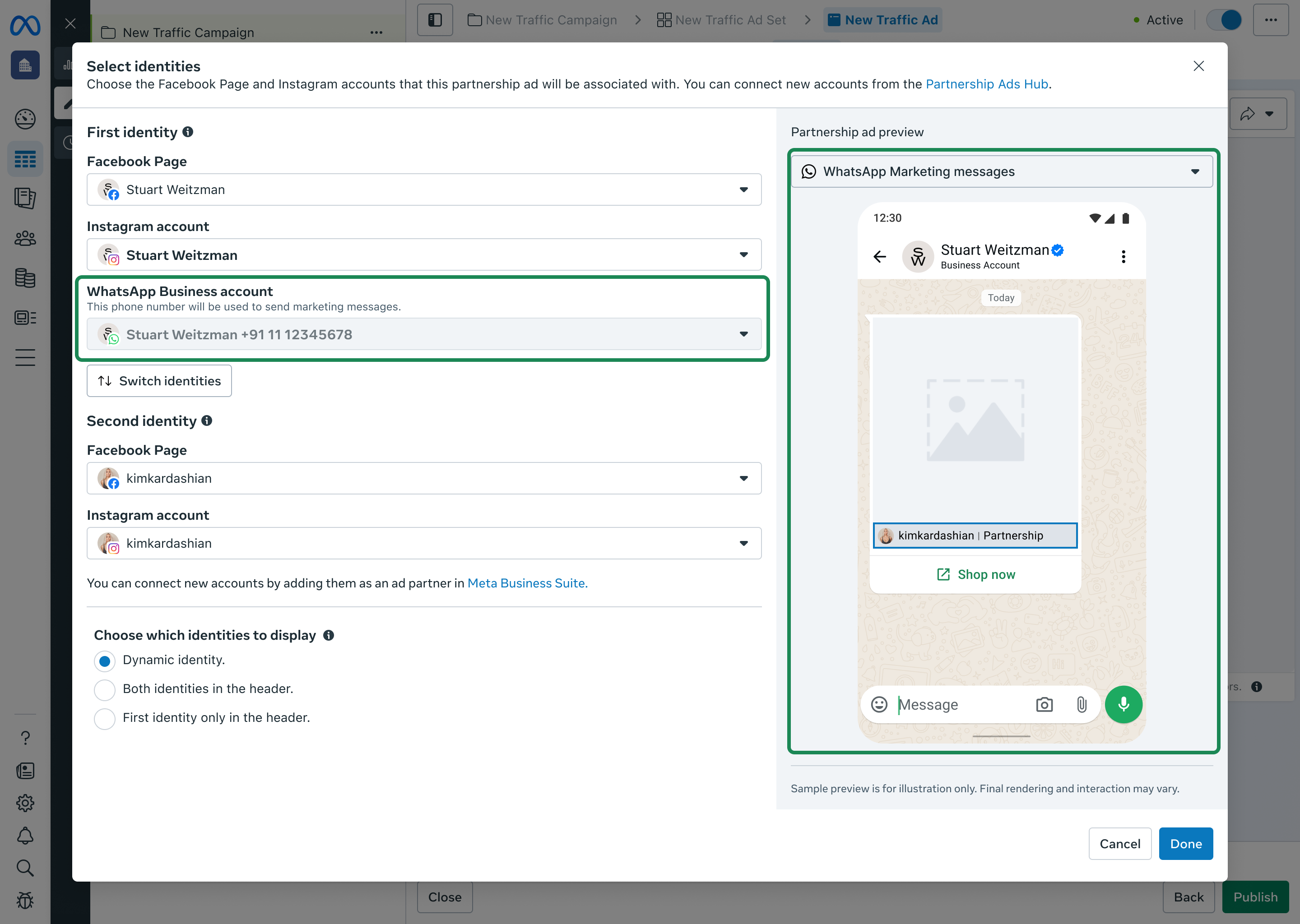
Marketing messages can be sent through multiple channels. One of them is Meta Ads Manager — the largest advertising platform at Meta — where MM runs as a placement alongside existing ads, letting businesses leverage their ad spend to reach opted-in customers on WhatsApp.
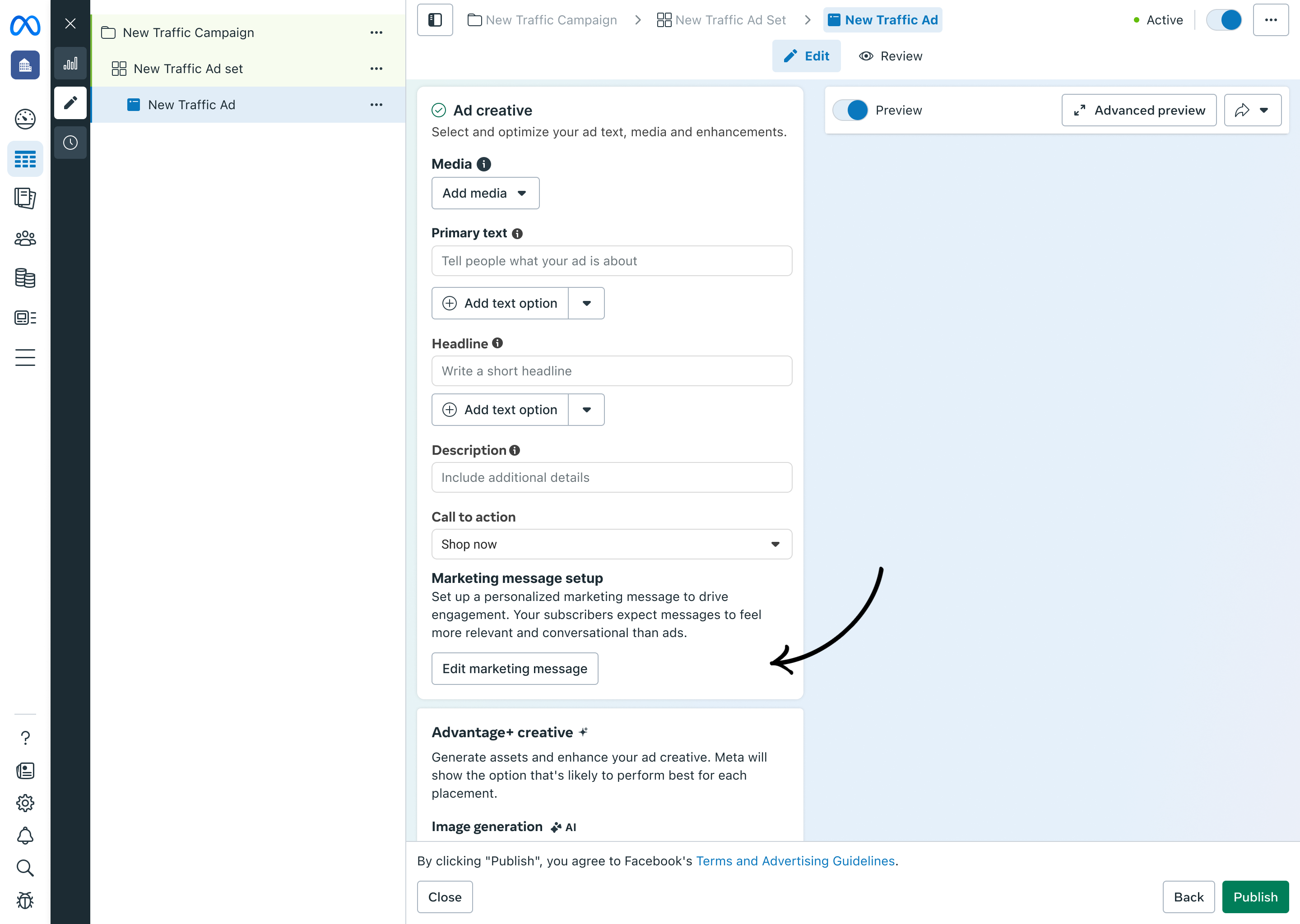
MM features were buried in their own isolated sub-section inside Ads Manager — completely separate from where ad creative lived. Research showed that advertisers think about ads and MM as part of the same creative workflow, not as separate tasks. The structure didn't match their mental model, and that mismatch was hurting adoption.
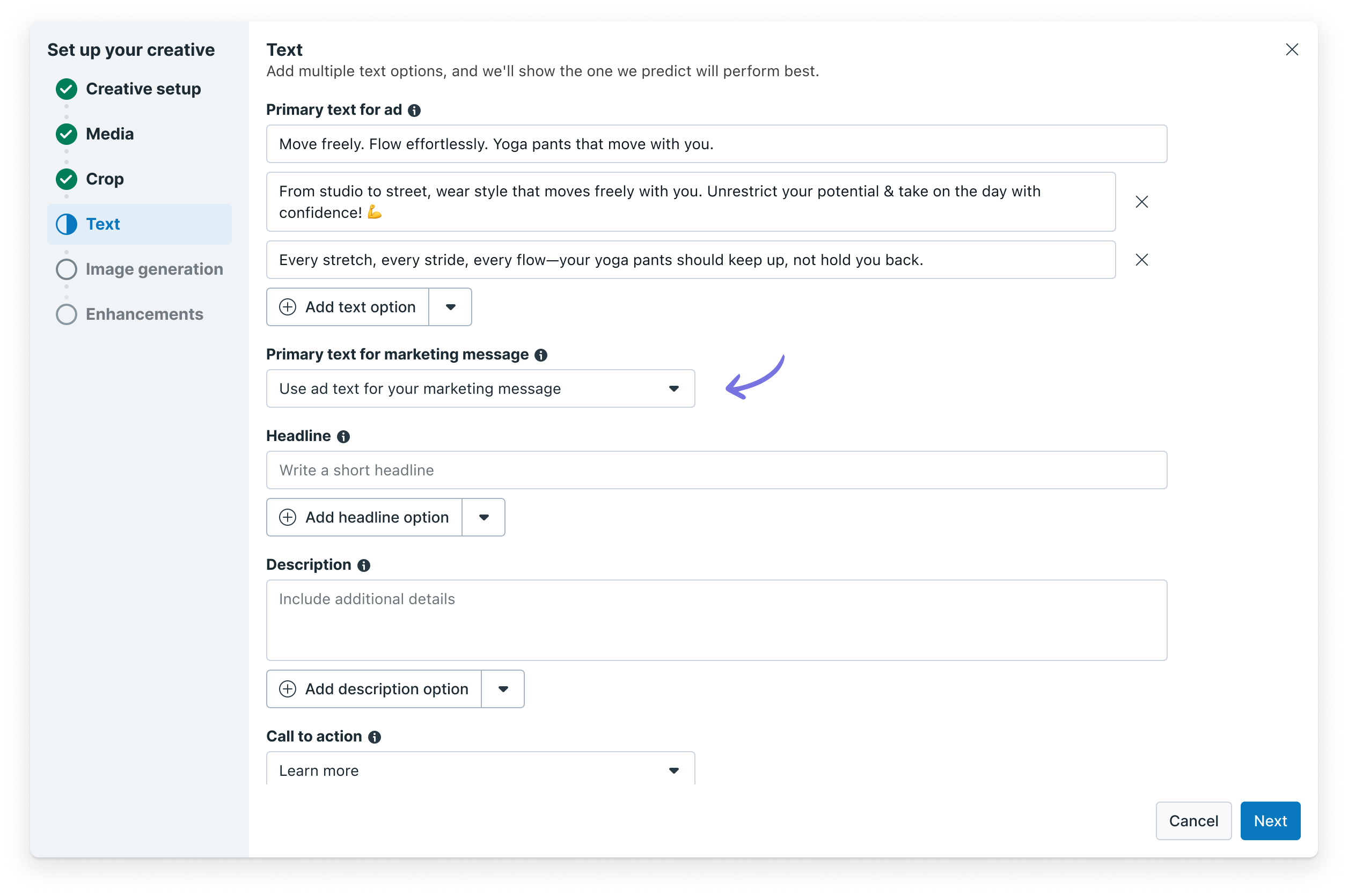
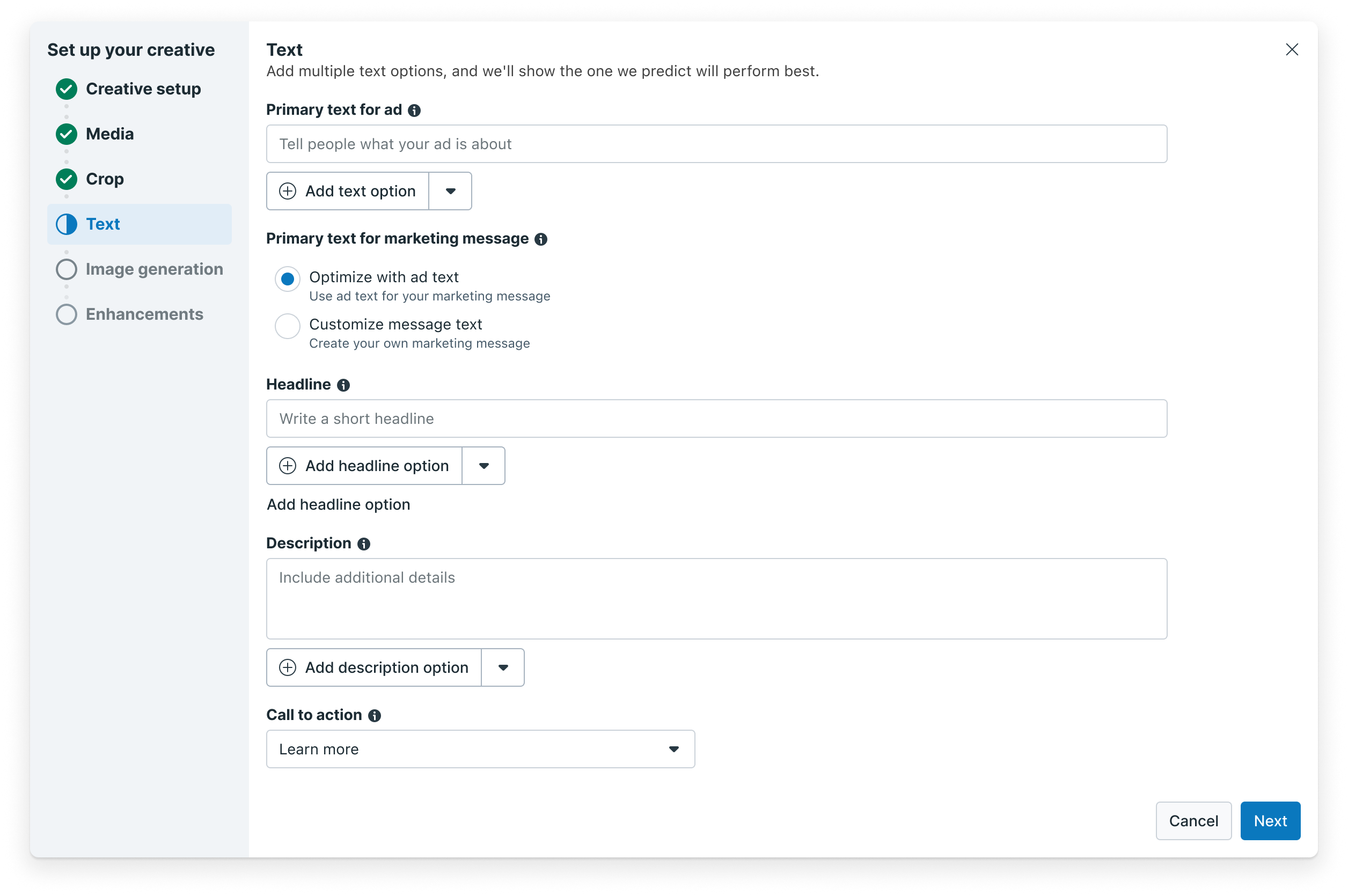
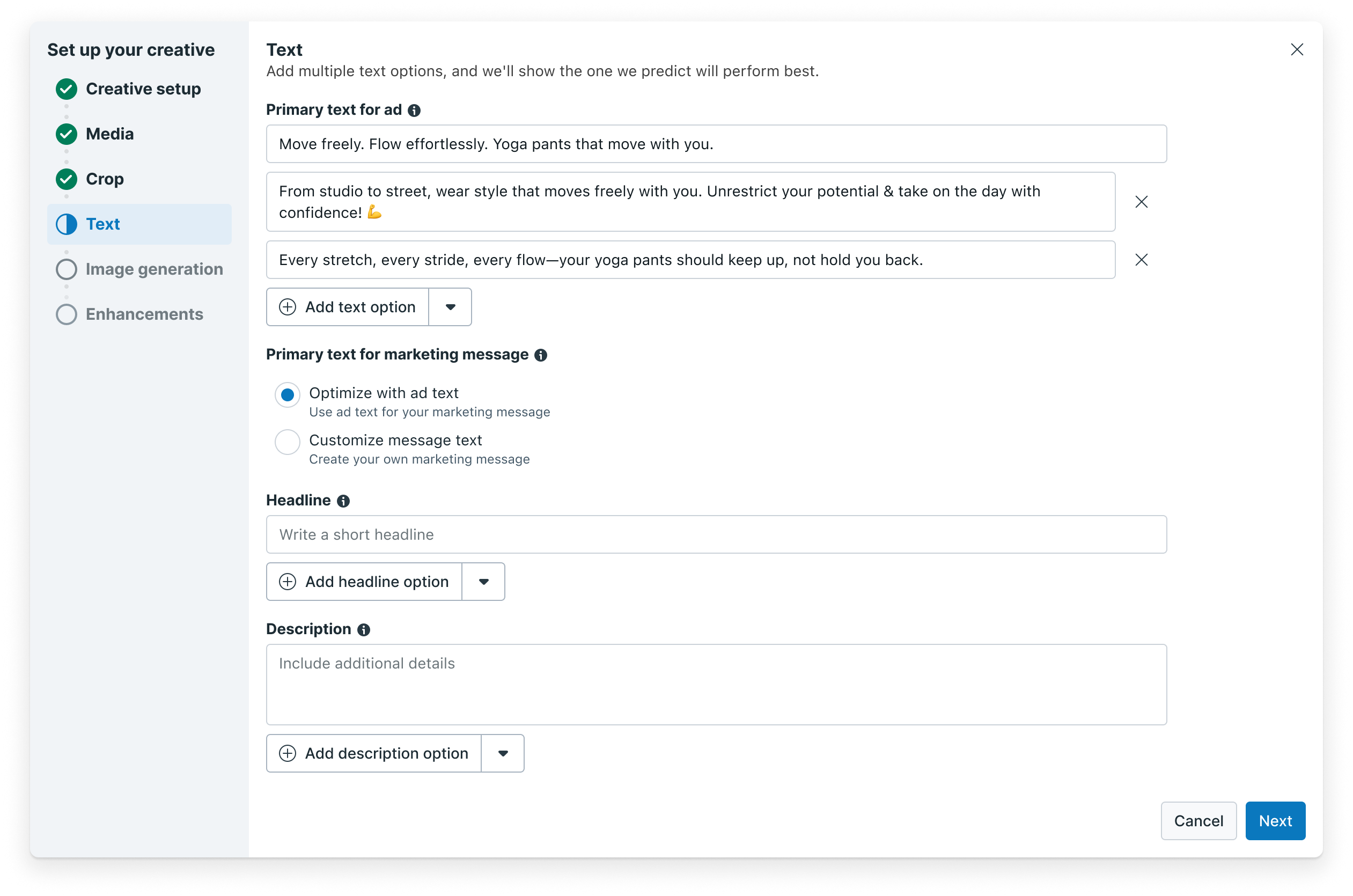
MM was a zero-to-one product — new to Ads Manager and unfamiliar to most advertisers. Giving MM its own separate text field made it legible as something distinct from ad copy. To lower the barrier, the MM field pre-fills from the ad text already written — so it's never blank, but clearly its own thing.
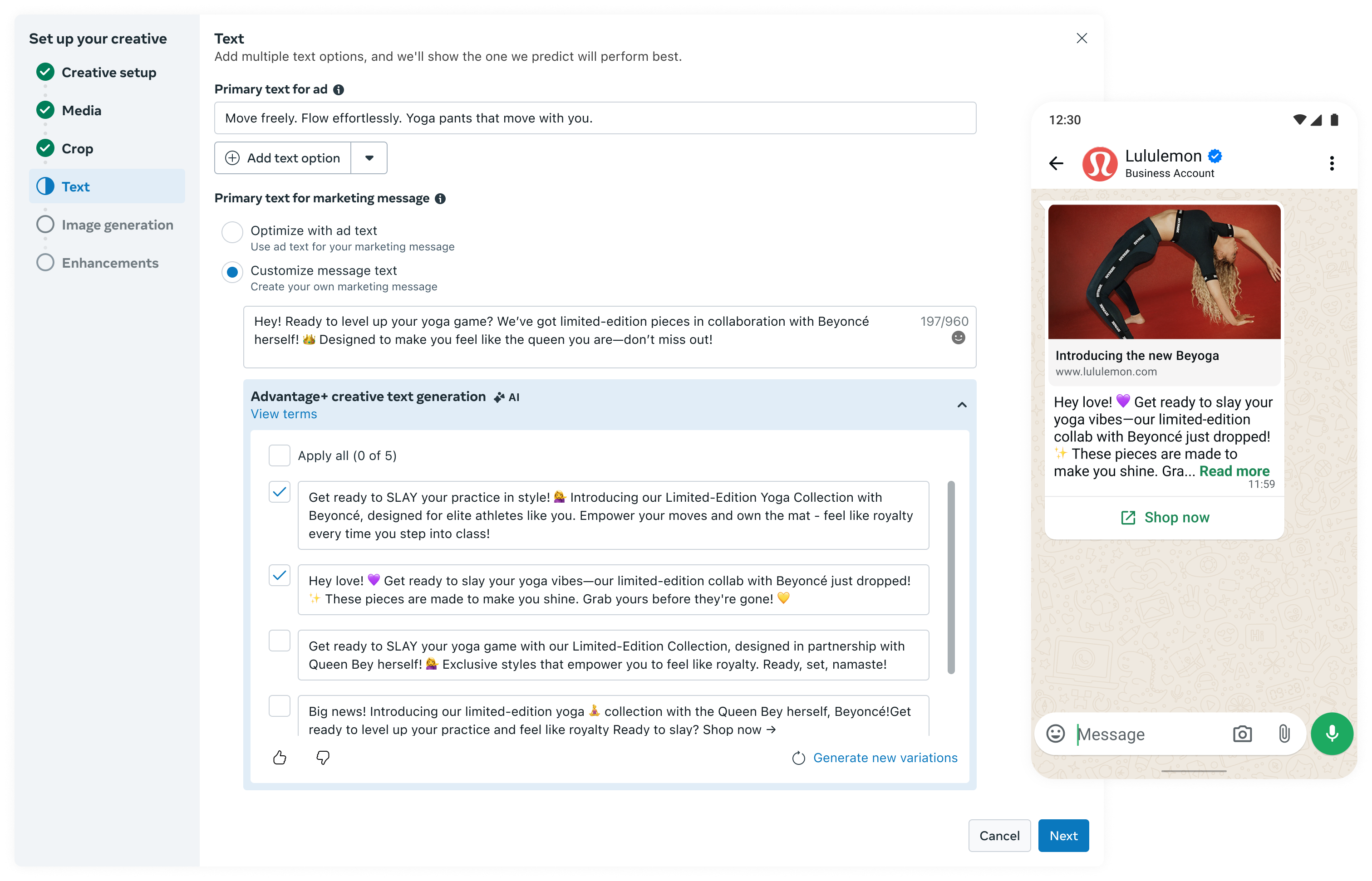
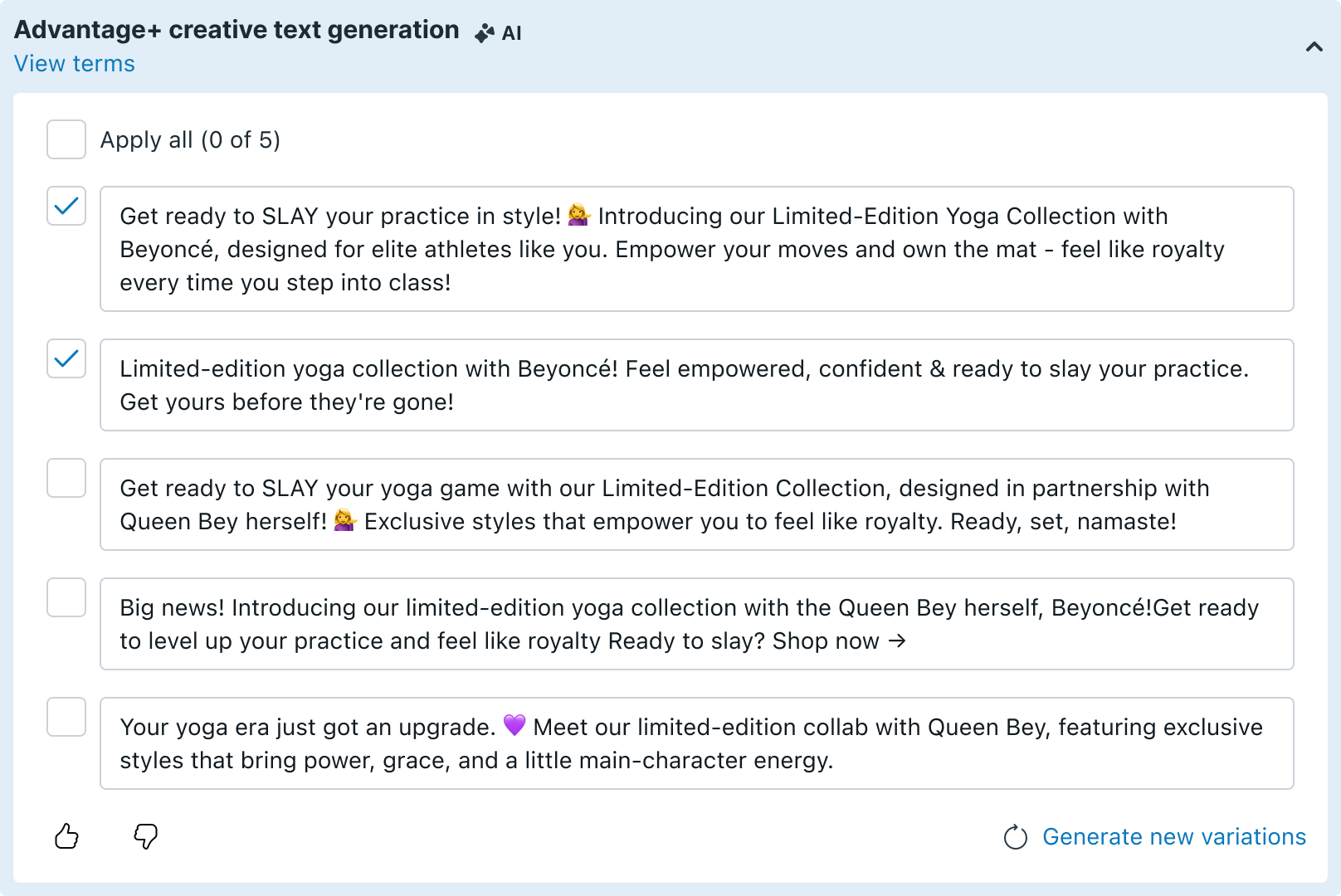
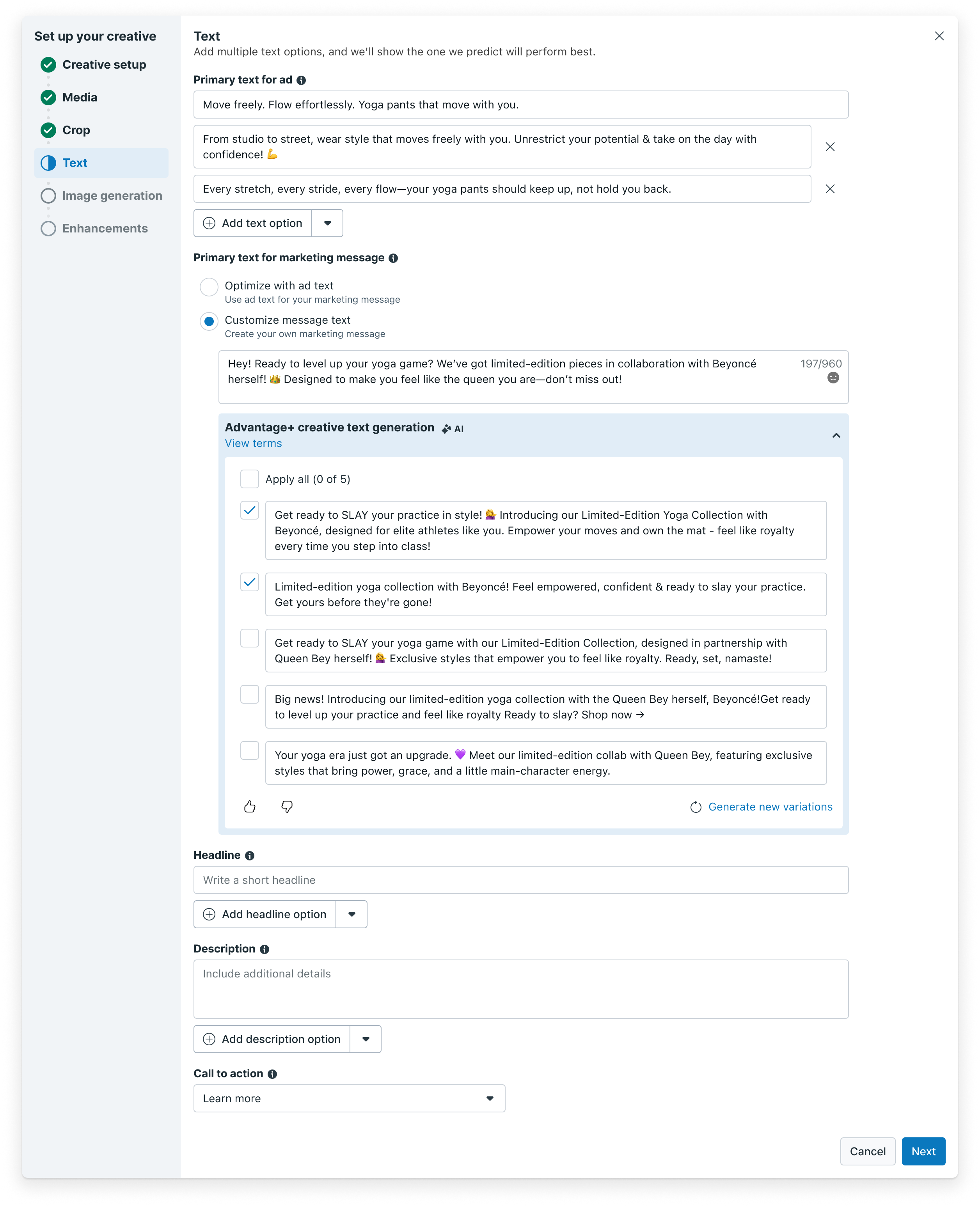
We introduced Gen AI text generation natively within the creative wizard. The MM field surfaces performance-optimized alternatives so advertisers can accept a suggestion or refine the pre-filled text manually — without ever leaving Ads Manager.
The IA restructure brought MM into the advertiser's natural workflow — but adoption data showed that visibility alone wasn't moving the needle. Customization rate stayed at 1.4%, which became the starting point for Phase 2.

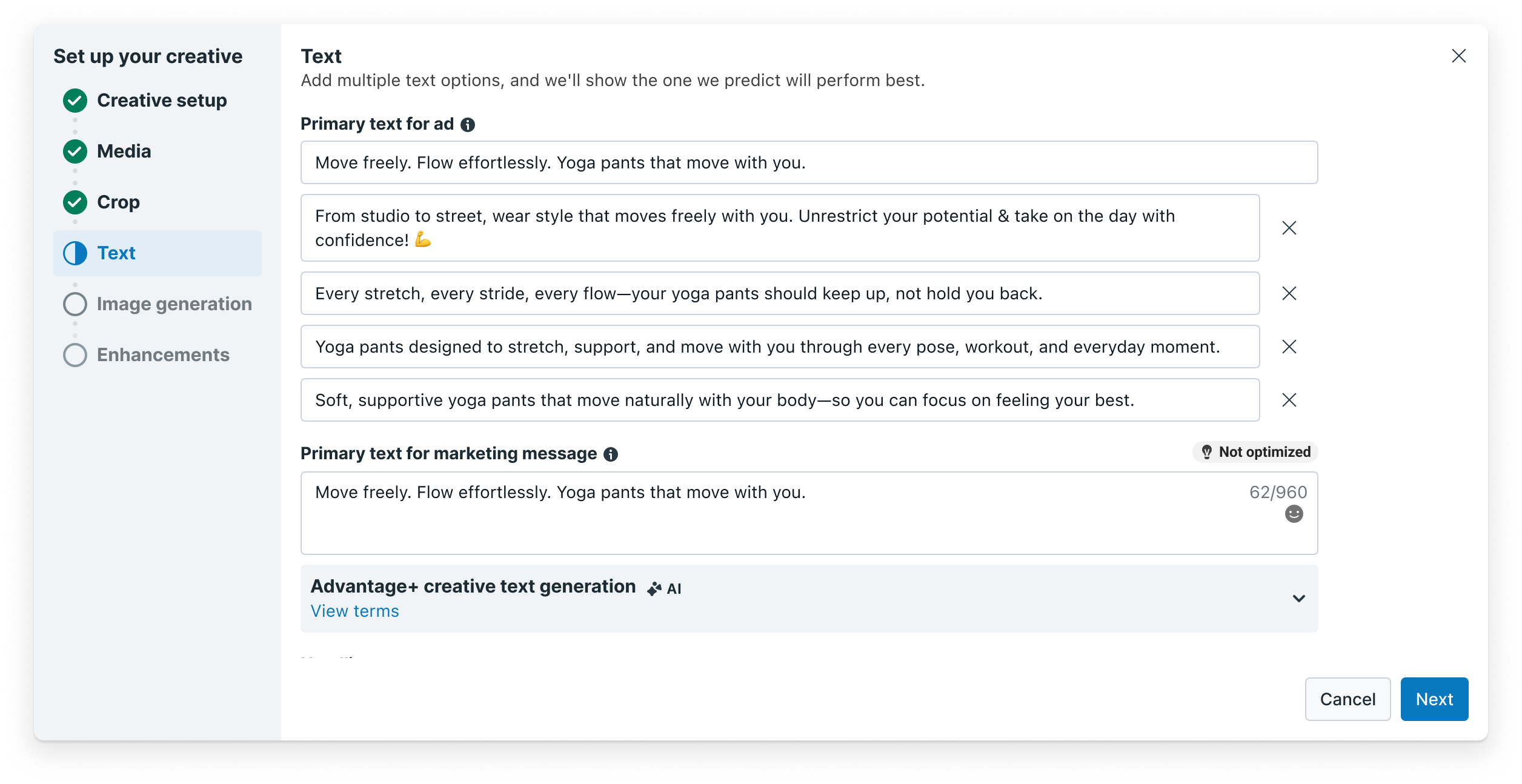
Even after the IA restructure, only 1.4% of MM texts were customized by advertisers. Meanwhile, multi-text on standard ads was already proving its value — delivering a +16.33% CTR lift. MM had the same potential, but advertisers weren't leveraging it.
Advertisers were already doing the work on the ads side — we just weren't leveraging it for MM. We extended their existing multi-text options to automatically apply to MM, without asking them to do extra work. The key challenge: surface this without overwhelming them visually.
The leadership direction was clear: make it immediately obvious to advertisers that their ads copy is being used for MM by default — and give them a way to customize if needed. The design challenge was surfacing this without adding friction to an already complex workflow.
Displays options only when needed. By default, ads copy is used for MM. If advertisers want to customize their marketing message, they can select "Provide your own text" to enter their own.
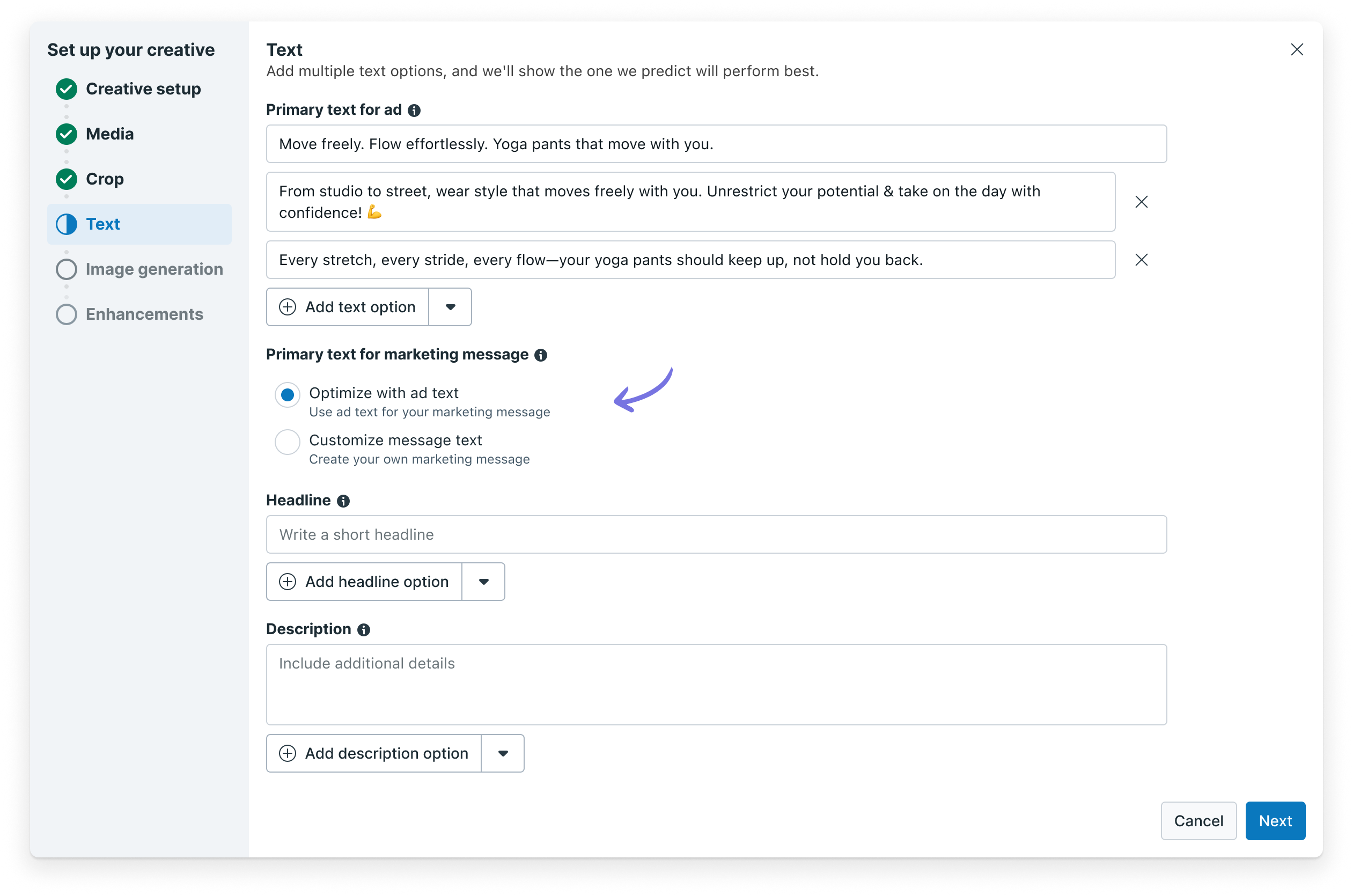
Displays all options at once for immediate comparison. Makes MM customization more visible and easier to discover.
We measured MM customization rate — how many advertisers chose to write their own MM text. We ran a 10% rollout followed by a 50% rollout to validate at scale.
Full visibility made it easier for advertisers to discover and act on the customization option. Option B was selected as the winning design.
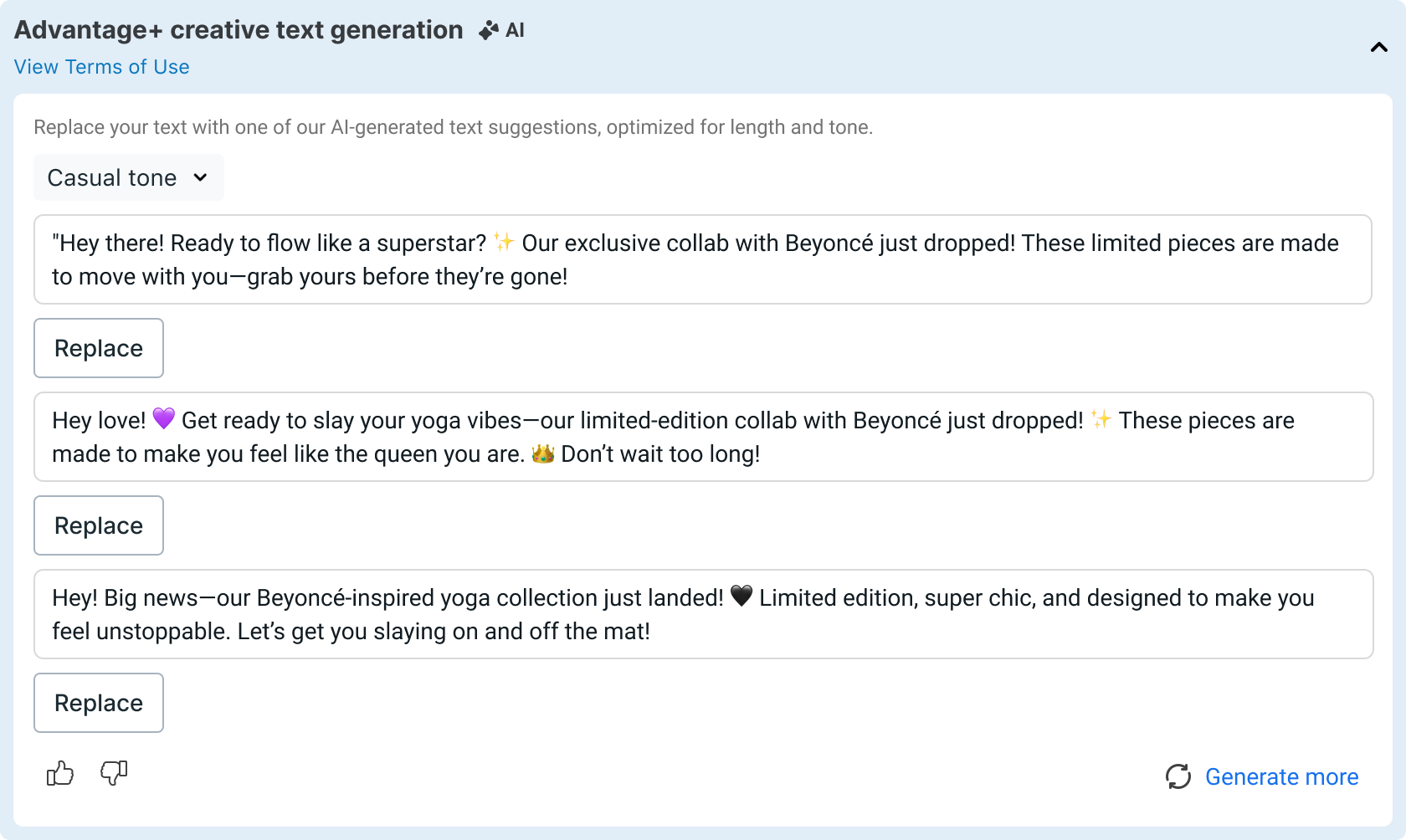
To further support customization adoption, we redesigned the Gen AI experience for MM.
We synthesized ~17,000 Marketing messages to identify what drives high CTR in MM — tone, phrasing, and structure that works in direct messaging is different from standard ads. This informed how GenAI generates MM-specific suggestions.
Together, these changes — the radio button design and the Gen AI redesign — formed the final experience.
The more text options an advertiser adds, the more variants the system tests — and the better it gets at identifying which message resonates most with each consumer. The best-performing variant is then delivered to the majority of the audience, compounding the impact over time.
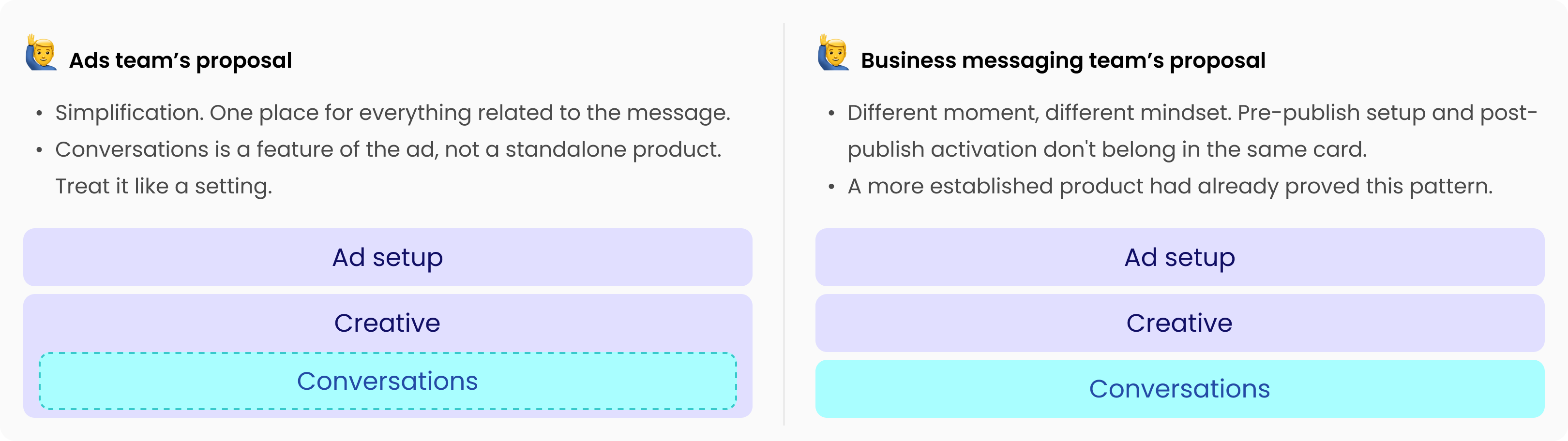
As the ads team began exploring changes to the creative setup, I partnered with them early to ensure MM wasn't designed around — the two surfaces share the same space, and decisions on one directly impact the other. That collaboration opened up a bigger strategic question: rather than maintaining two separate inputs, what if we unified them?
This is what that unified experience could look like.
This strategy was defined and handed off as the north star for where MM and ads creative should converge next — a single input, with GenAI surfacing tailored suggestions for each surface behind the scenes.
Marketing messages don't end at publish. When a consumer receives an MM and replies on WhatsApp, a conversation begins — but that post-publish experience had no dedicated home in Ads Manager. It was buried inside the creative setup flow, designed for pre-publish decisions, not post-publish conversations.
I led the end-to-end design to give conversations their own surface — a standalone Conversations card — and defined the future direction for how AI could make those conversations scalable for advertisers.
A WhatsApp Marketing message is a promotional message businesses send directly to customers who have opted in — delivered to their WhatsApp inbox, not a feed. Unlike standard ads, when a consumer replies, it opens a real conversation.
Marketing messages can be sent through multiple channels. One of them is Meta Ads Manager — the largest advertising platform at Meta — where MM runs as a placement alongside existing ads, letting businesses leverage their ad spend to reach opted-in customers on WhatsApp.
Marketing messages are one-directional today. 60% of consumers read them — but only ~1% end up in a real conversation.
Of our MM advertisers, 61% manage replies directly — without any third-party tool. Of those, 89% have no conversation tool at all. For them, Chat Builder wouldn't be an upgrade. It would be their first ever reply management solution. Consumers were already replying to their MMs — and getting no response.
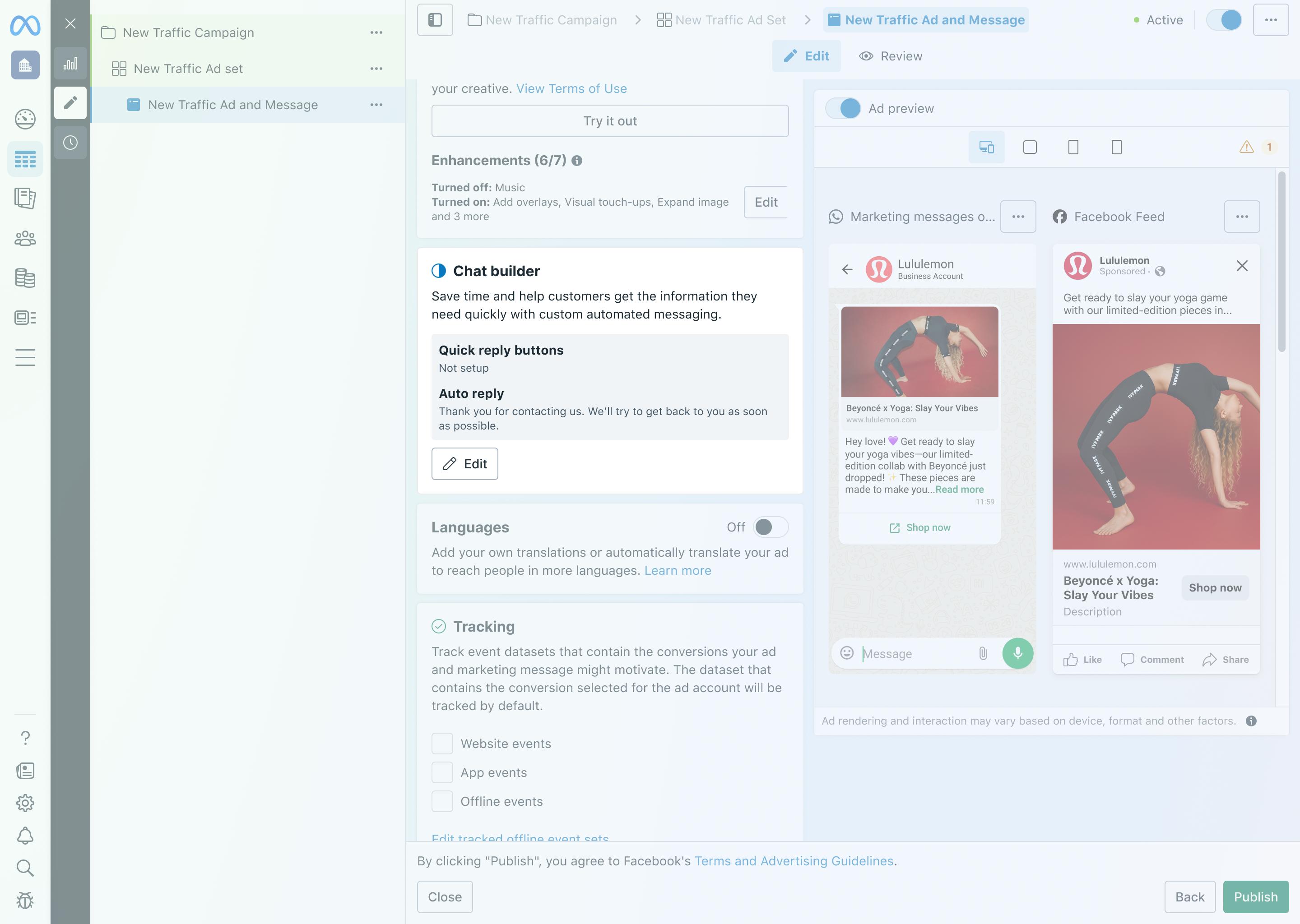
Auto Reply and Quick Replies were collapsed into Creative — a pre-publish flow with no connection to post-publish conversations. Two different moments in the advertiser journey were sharing the same card.
This is where advertisers configure how the marketing message looks before it goes live — media, copy, and creative decisions. It's a setup flow that happens once, before the campaign launches.
This is where automation lives — Auto Reply and Quick Replies are only relevant after a consumer sends a message in response to a marketing message. It's a response layer that operates independently of how the marketing message was built.
Auto Reply and Quick Replies moved out of Creative into their own dedicated card — Chat Builder — a new Conversations section at the same level as Creative in the L1 flow.
For the design pattern, we didn't start from scratch. Click to WhatsApp (CTWA) already had a Chat Builder — and most MM advertisers are also CTWA users. We built on the same pattern to give advertisers one consistent surface for conversation setup, no matter which product they're using.
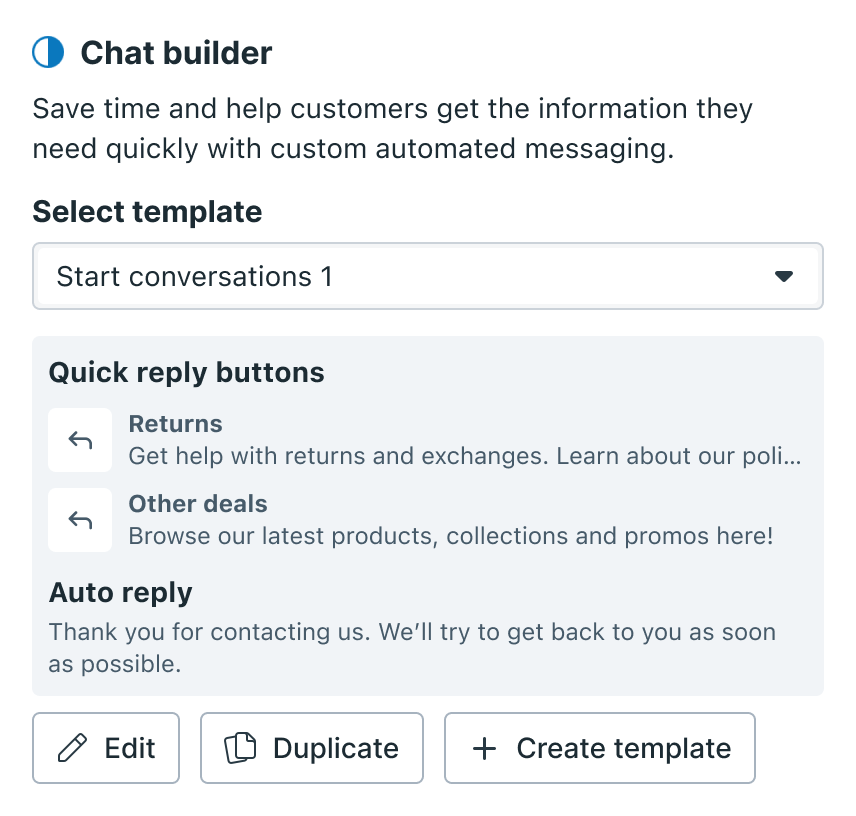
Choose from previously saved configurations to apply a full automation setup in one click. Every time you publish, Chat Builder auto-saves your setup as a template — so returning advertisers start with their preferred configuration already filled in.
See what's configured before you publish — both automations shown inline so advertisers can review at a glance.
Quick reply buttons delivered with the MM — when a consumer taps one, that response is sent instantly.
Triggered automatically when a consumer sends any message. Pre-filled by default so advertisers can publish immediately without any setup.
No live preview. Advertisers published without seeing the consumer experience.
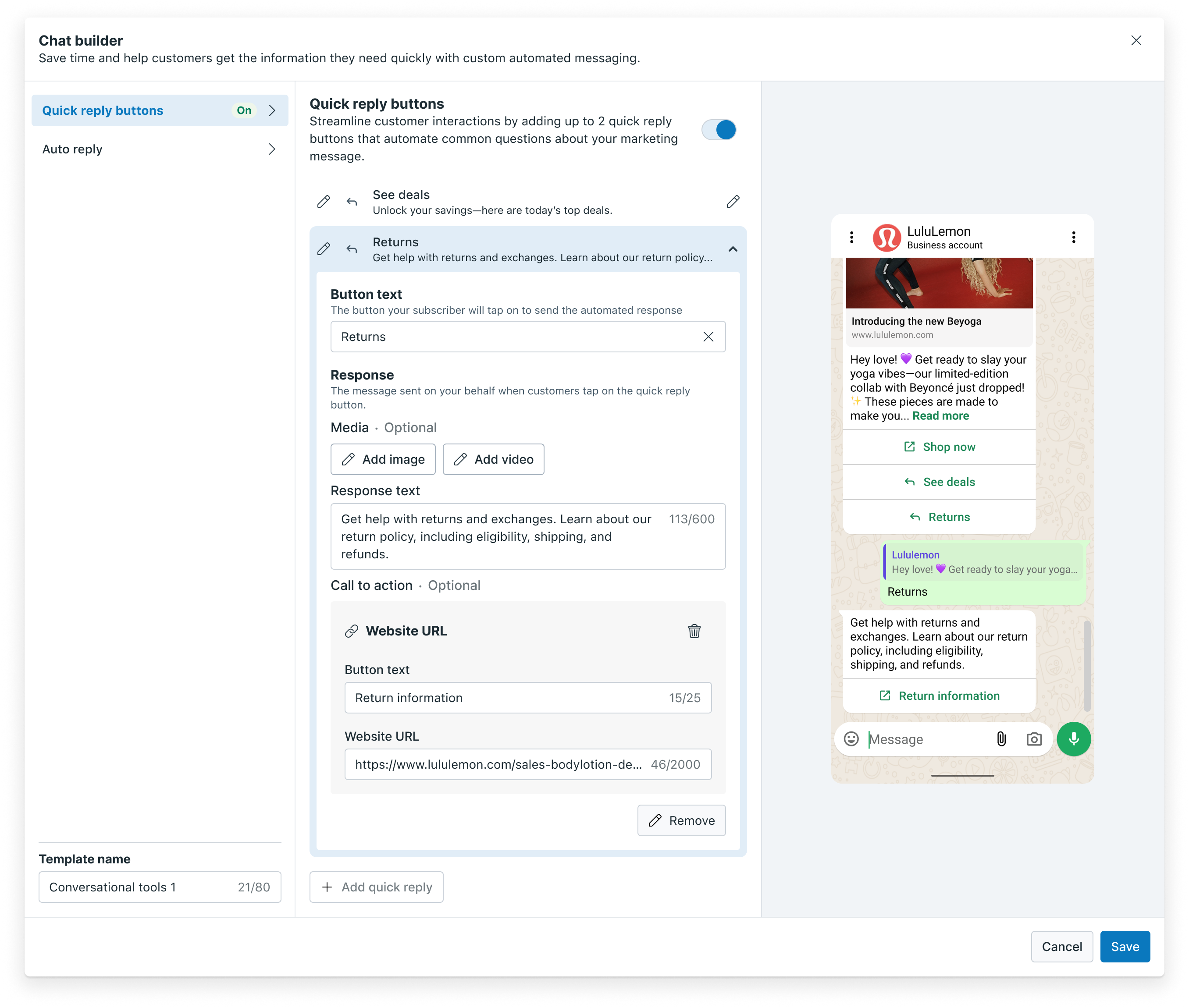
Right panel updates in real time as advertisers configure.
Preview shows exactly what the consumer will see and receive.
Replaced nested fields with flat layout — button and response relationship is clearer.
Updated placeholder text to better match the quick reply configuration component.
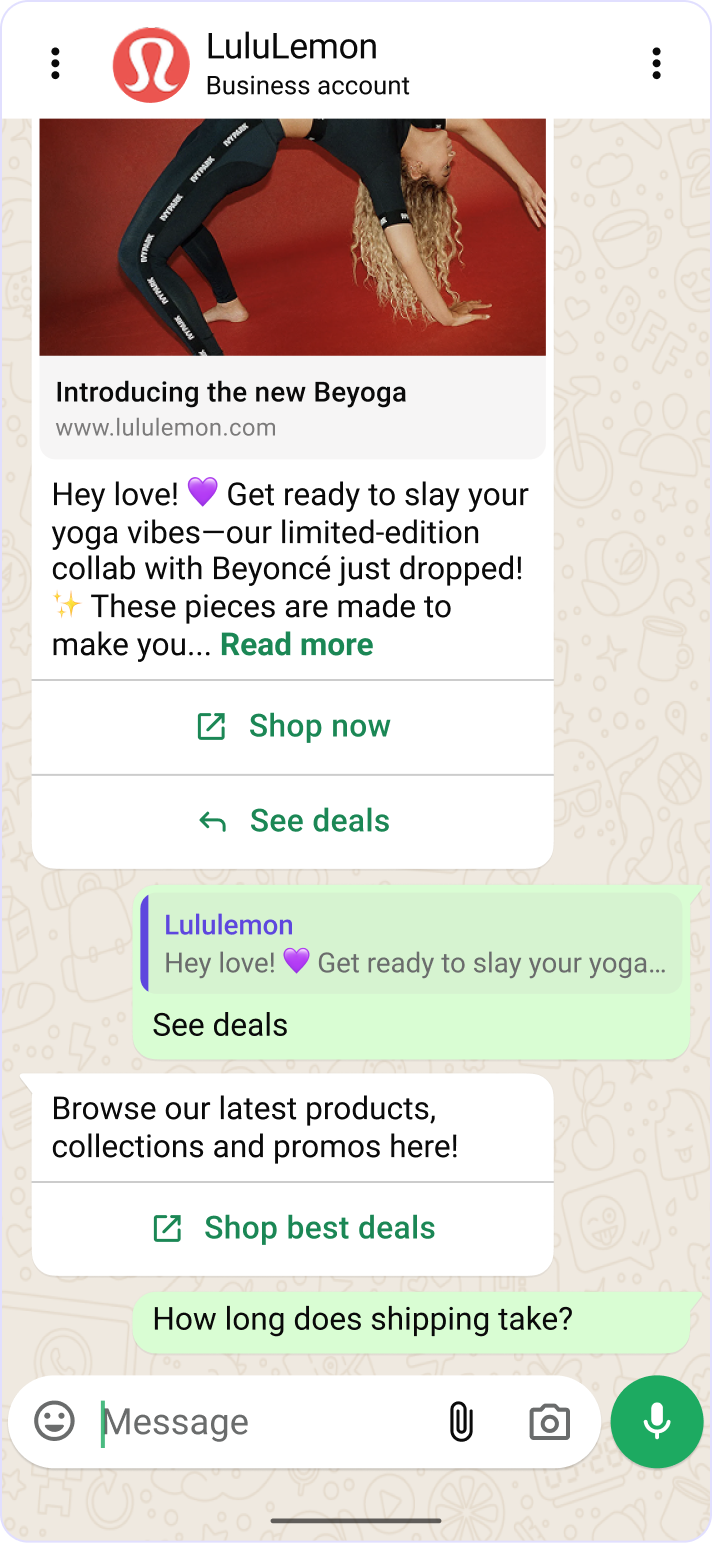
Business AI closes that gap by turning every marketing message into an intelligent two-way conversation. When a consumer replies, AI responds instantly — keeping the exchange within the 24-hour free messaging window so advertisers incur no additional cost to reopen conversations.
Existing MM advertisers complete a one-time BizAI onboarding. Once enabled, the feature surfaces directly inside the Conversations card and Chat Builder at the L1 level — no new surface to learn.
I also redesigned the quick reply placement — moving the buttons below the CTA to create a visual separation between the marketing message and the conversation entry point. The hypothesis: advertisers who clearly distinguish the two will see higher conversation initiation rates than those using the current placement.
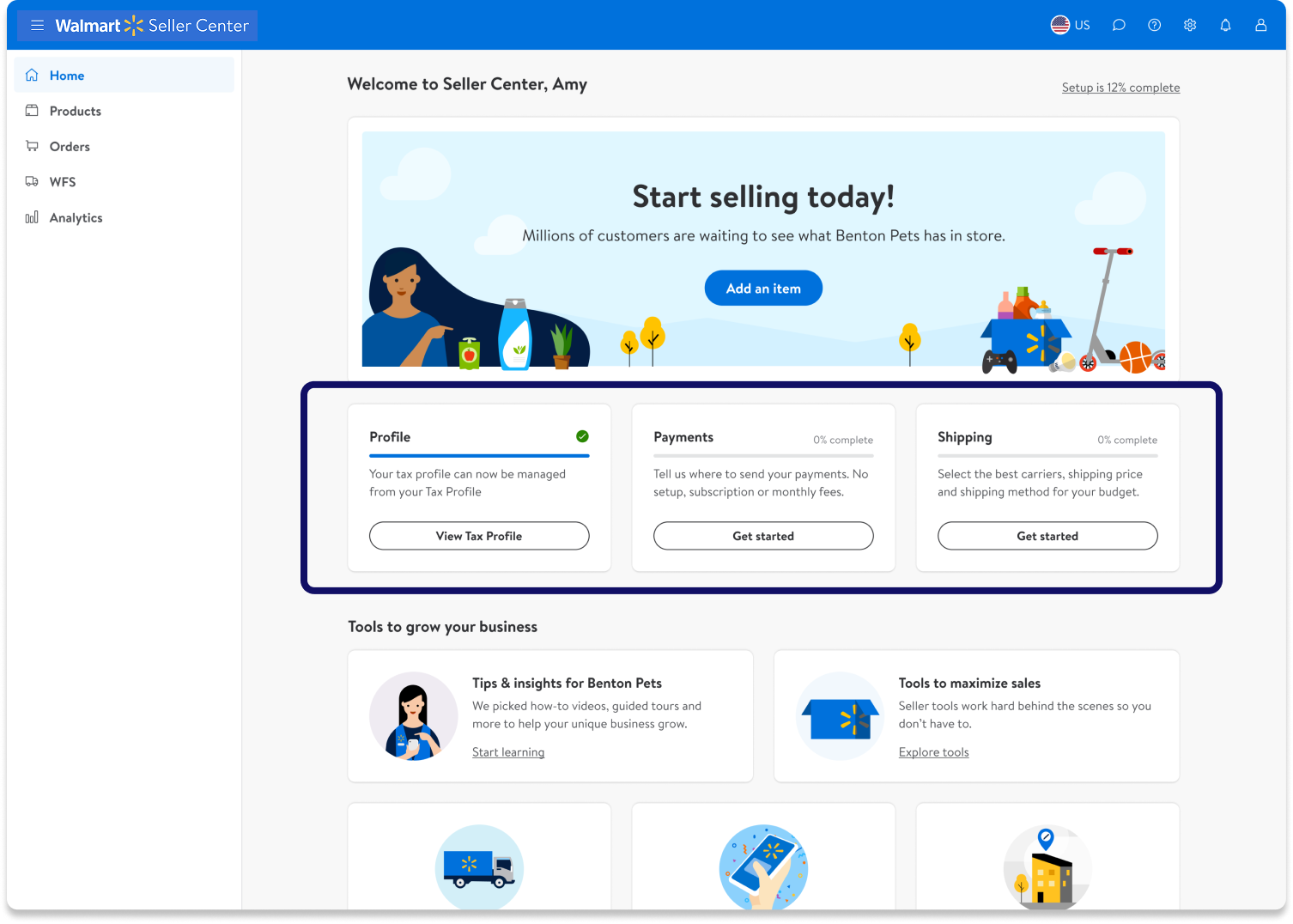
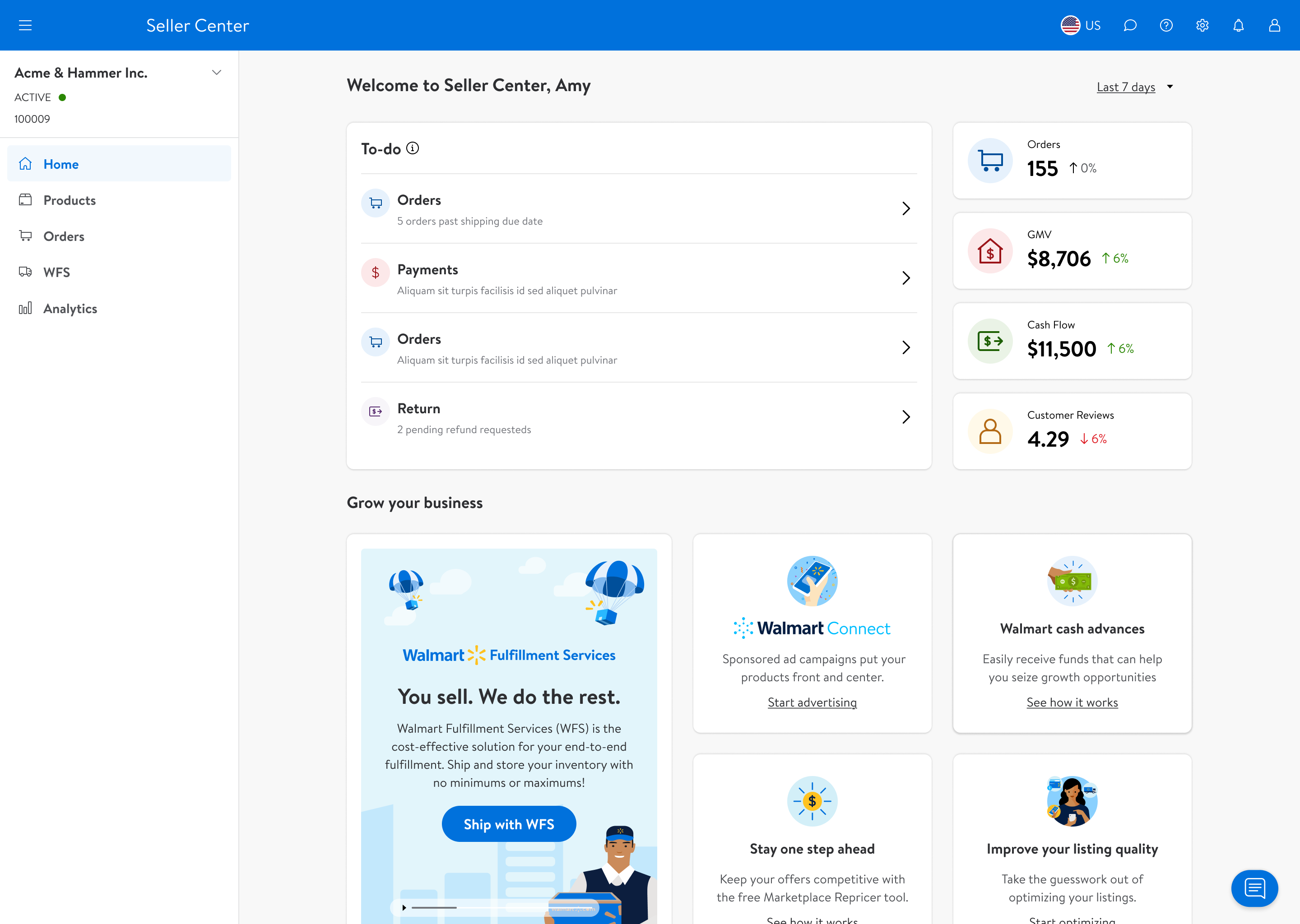
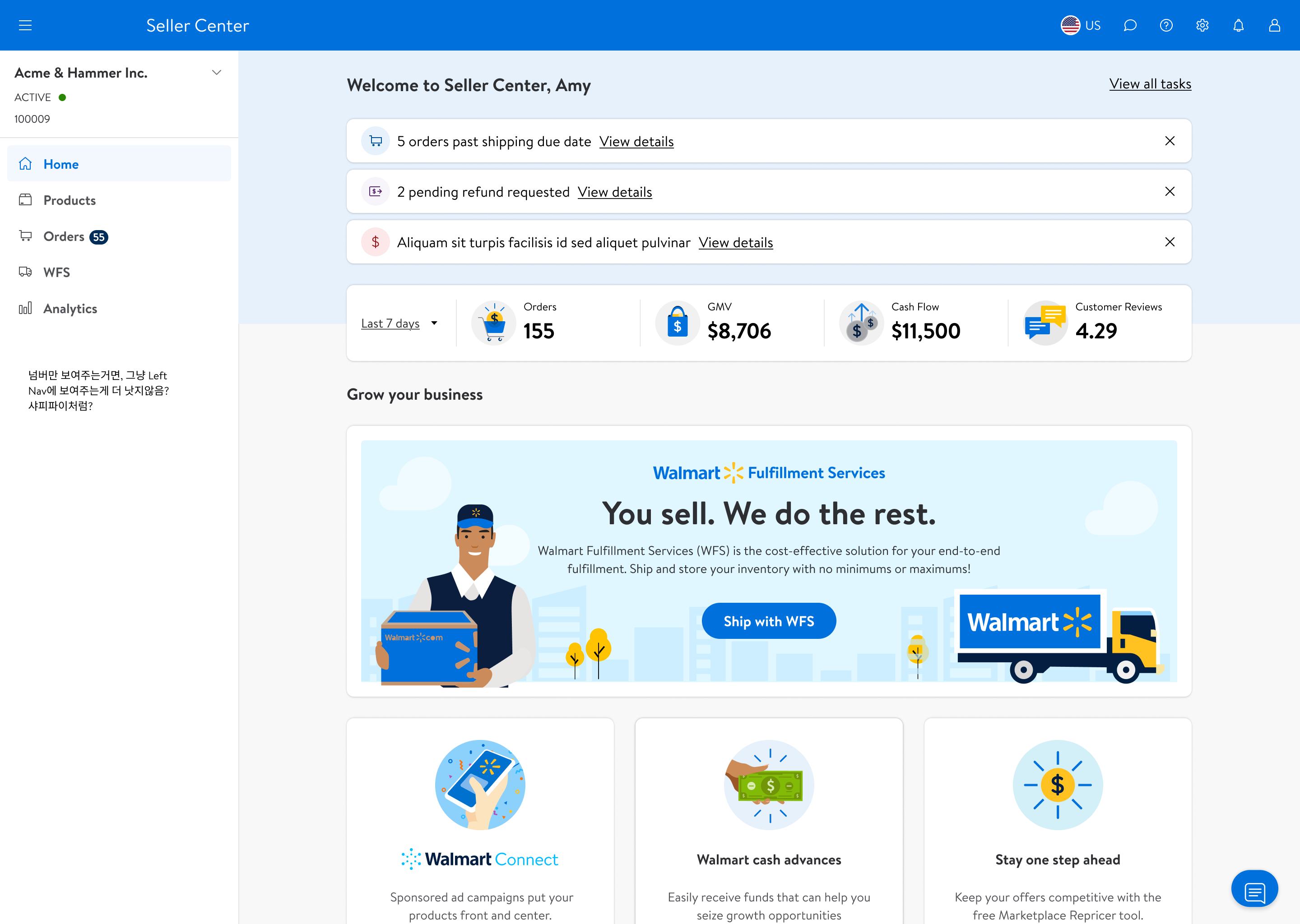
Walmart Seller Center had no dedicated homepage — sellers landed directly on the items page with no sense of context, priority, or what to do next. I led the end-to-end design of the first-ever homepage from scratch, from competitive analysis through to launch and design QA.
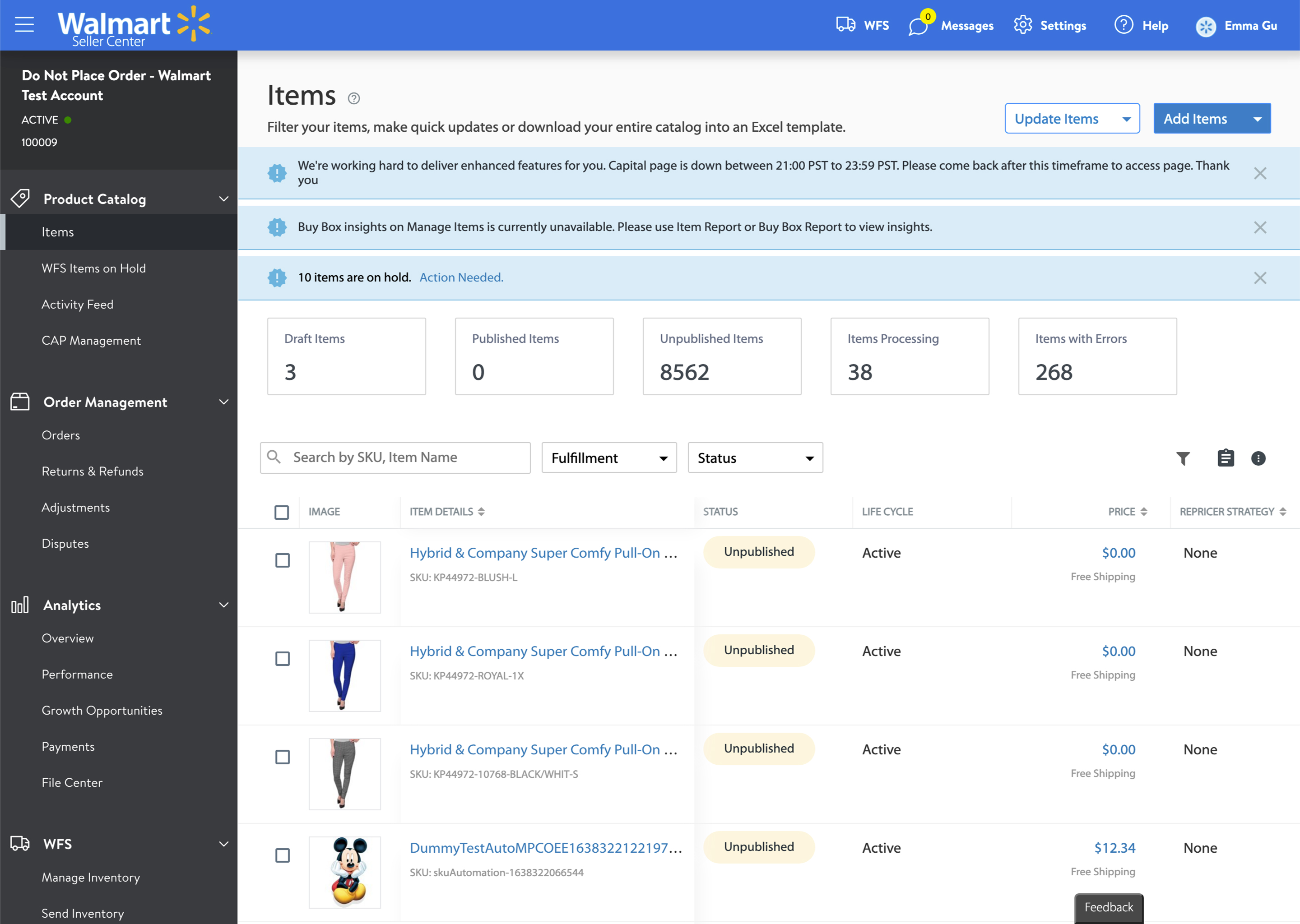
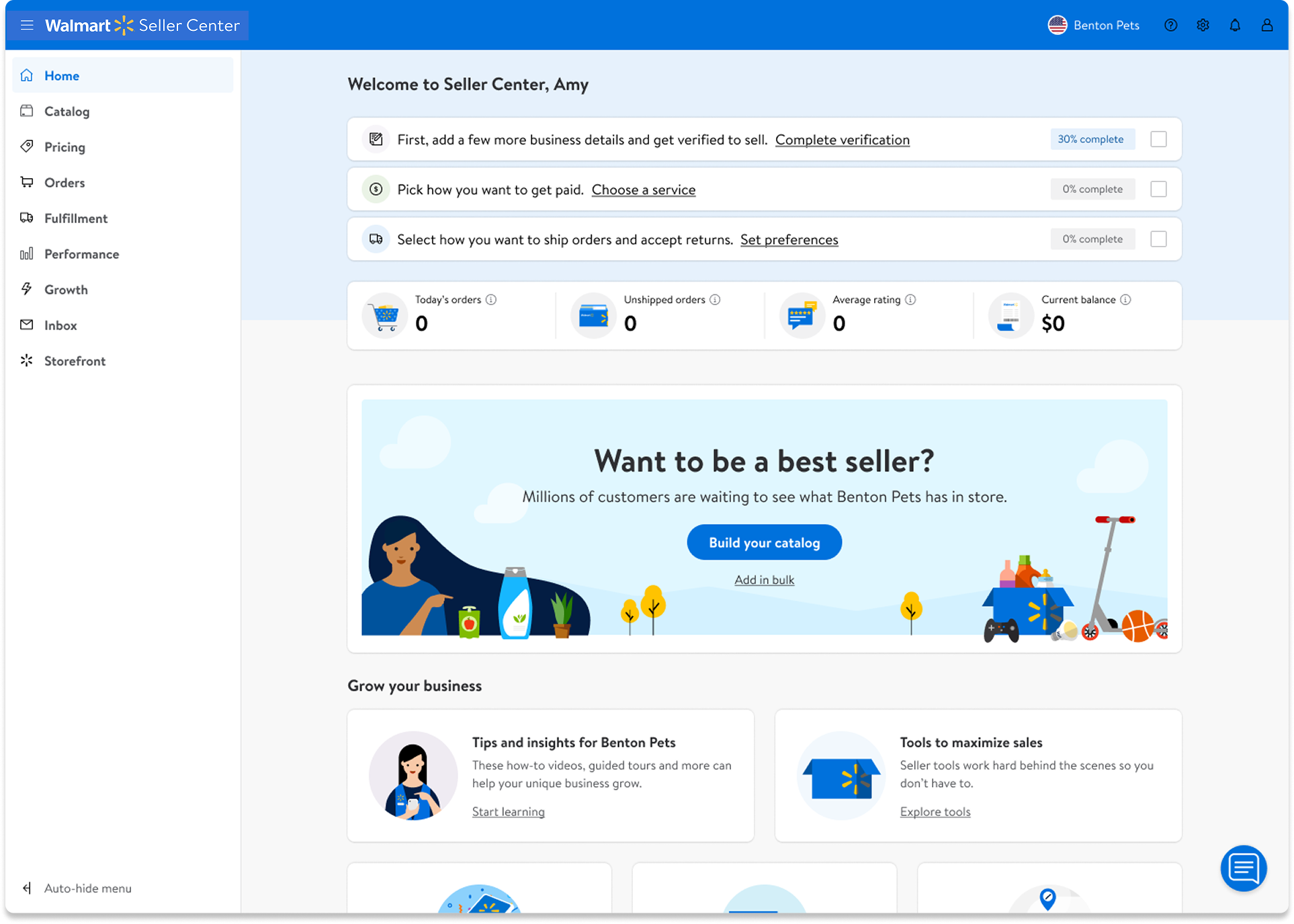
Without a dedicated landing page, sellers went straight to the items page. Unrelated notifications appeared on this page to alert sellers, with no sense of priority or context. There was no homepage that could help sellers understand their business, complete tasks, or grow their store.
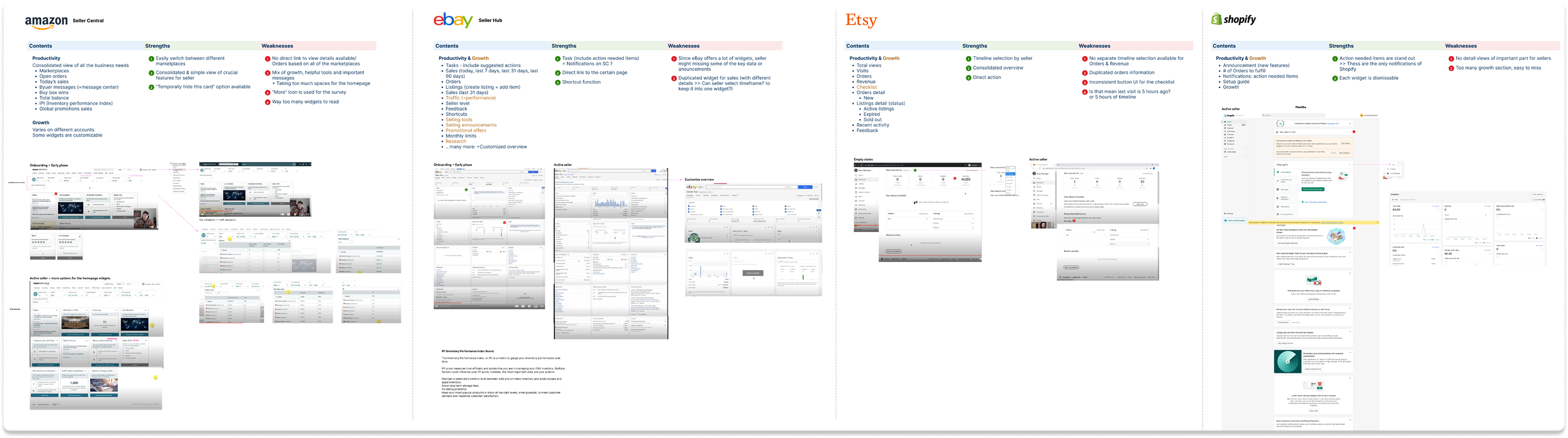
I audited Amazon, eBay, Etsy, and Shopify to understand what sellers experience elsewhere. All four had dedicated homepages with task guidance and growth features. Walmart had none of these — and was the only platform without a dismissible notification system or a promotions discovery surface.
| Platform | Guided tasks | Contextual metrics | Growth tips | Lifecycle-aware |
|---|---|---|---|---|
![]() |
✓ | ✓ | — | ✓ |
| ✓ | — | ✓ | — | |
![]() |
✓ | ✓ | ✓ | ✓ |
![]() |
✓ | ✓ | ✓ | ✓ |
![]() |
— | — | — | — |
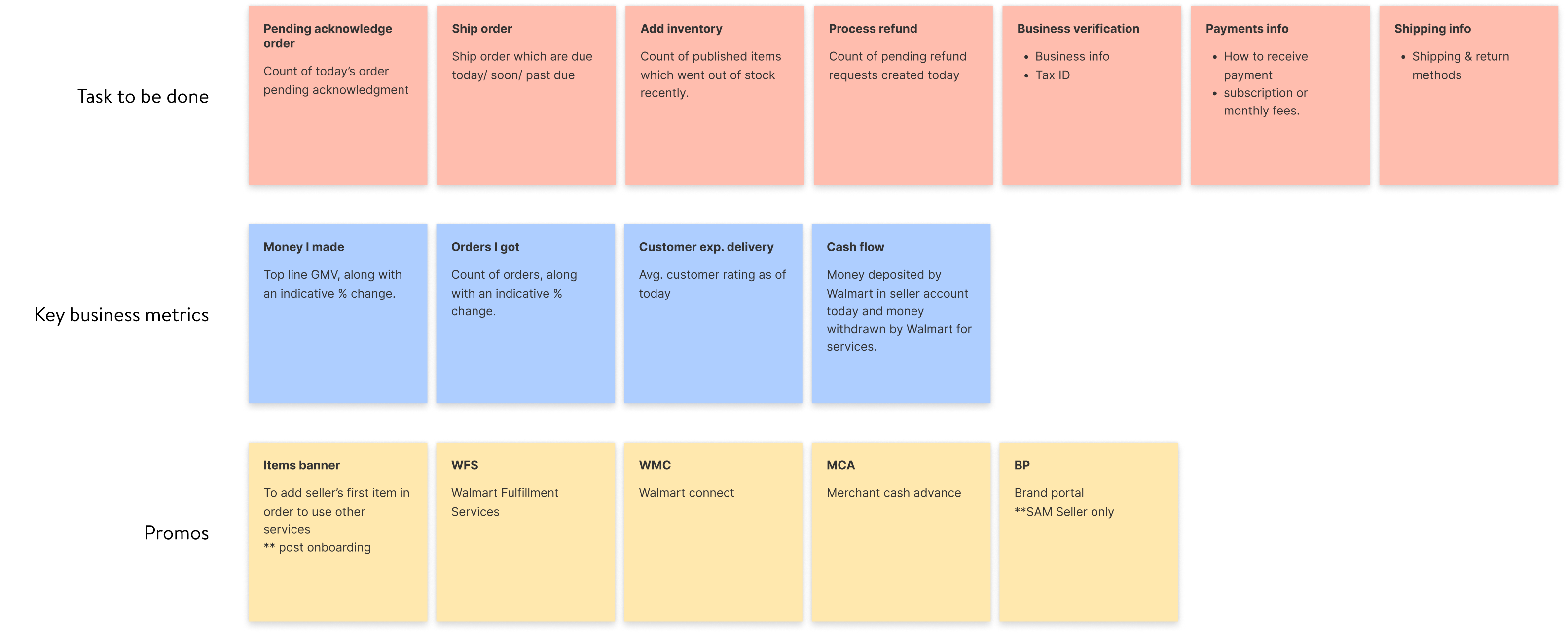
I ran a content workshop with the product team to determine the essential requirements across three core areas: key business metrics, tasks, and growth. From there, we mapped each piece of content to the seller's lifecycle stage — whether they're onboarding for the first time or already an active seller — so the homepage surfaces the right information at the right moment.
A clear mission emerged from the research: the homepage should help sellers run their business, complete their tasks, and grow their store — in that order of urgency.
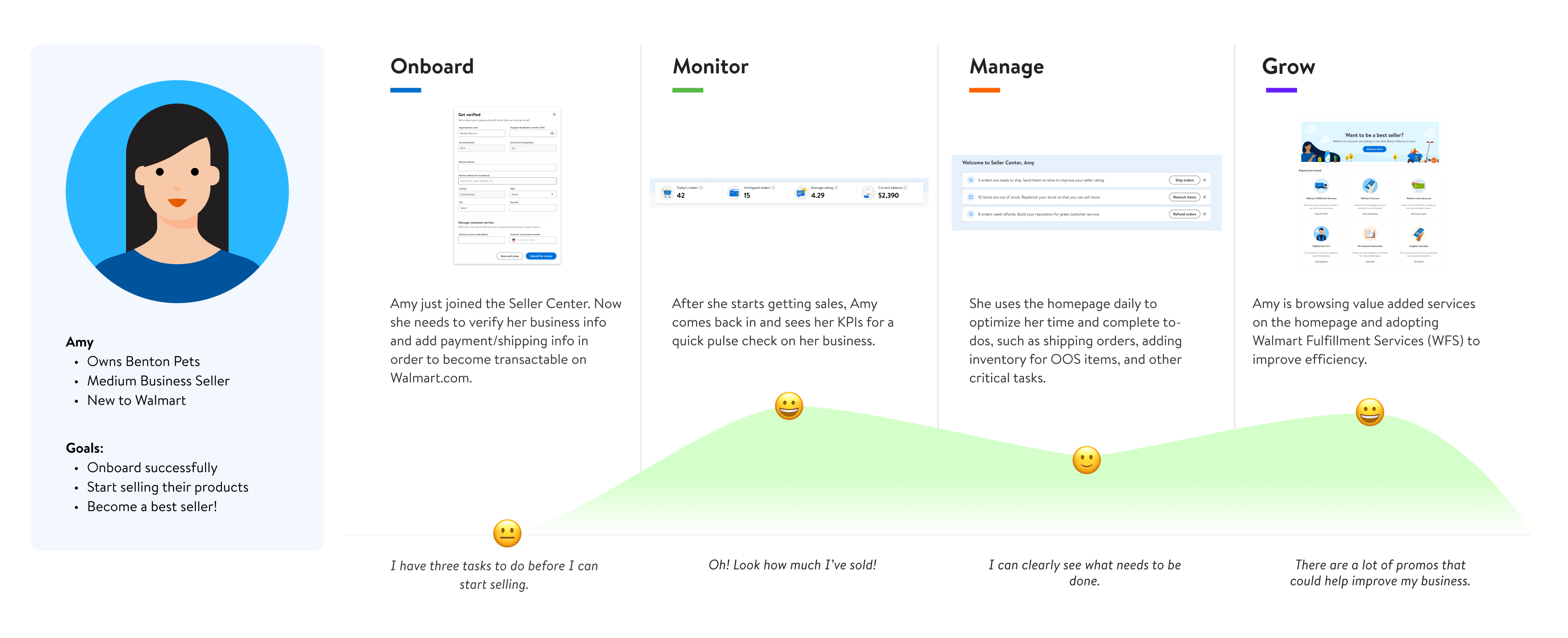
A week-one seller and a three-year veteran need completely different things. I mapped the full journey to design an experience that adapts to where sellers are.
I explored several directions before converging on the final approach — testing how to balance metrics density with task clarity.
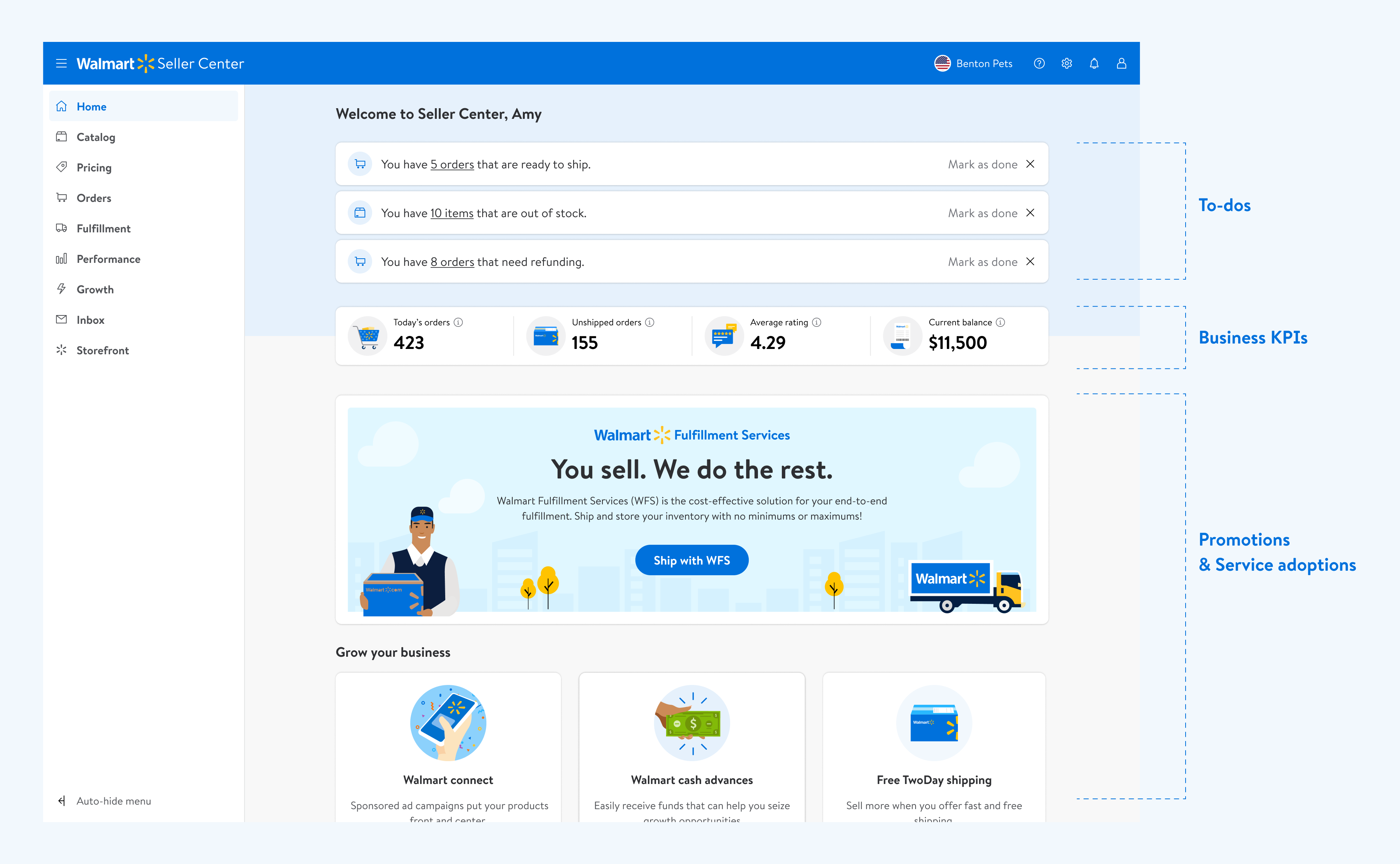
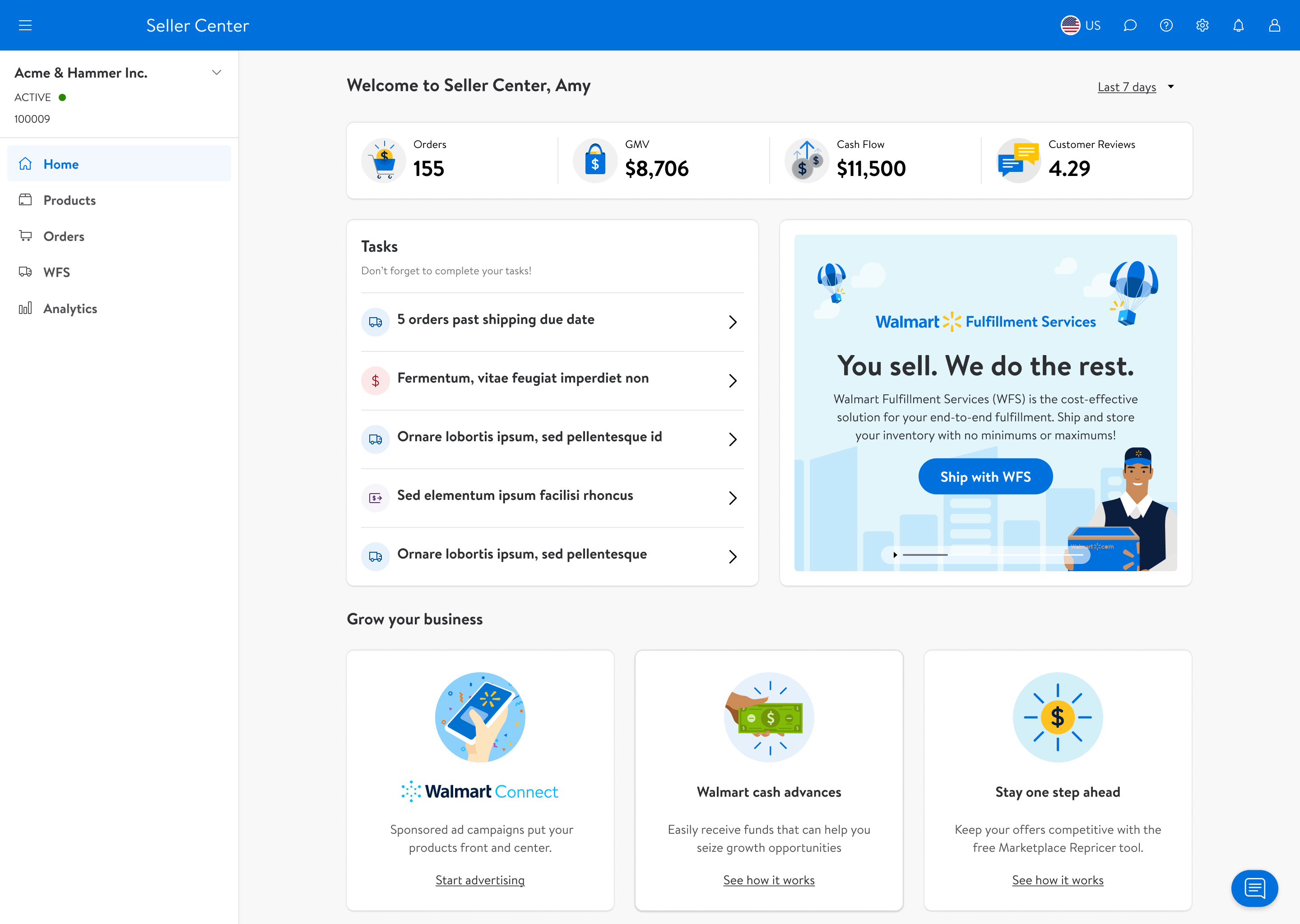
After several iterations, we developed the initial version of the homepage — a single layout organizing everything sellers need into three focused sections: To-dos, KPIs, and Promotions.
We tested this first-round design using the PURE (Practical Usability Rating by Experts) method with 5 evaluators. To set a baseline, we first tested the original onboarding flow, then integrated that onboarding into the new homepage to see how the To-do section improved seller comprehension.
The original onboarding prioritized the "Add Items" banner over the actual setup steps — sellers were pushed toward listing products before completing essential account setup, causing confusion and drop-off.
By integrating onboarding into the To-do section, sellers could clearly see what setup steps remained — in the right order, with the right priority — without being distracted by promotions.
The redesigned homepage brings together three focused sections in one scannable layout — adapting to each seller's stage and surfacing the right information at the right time.
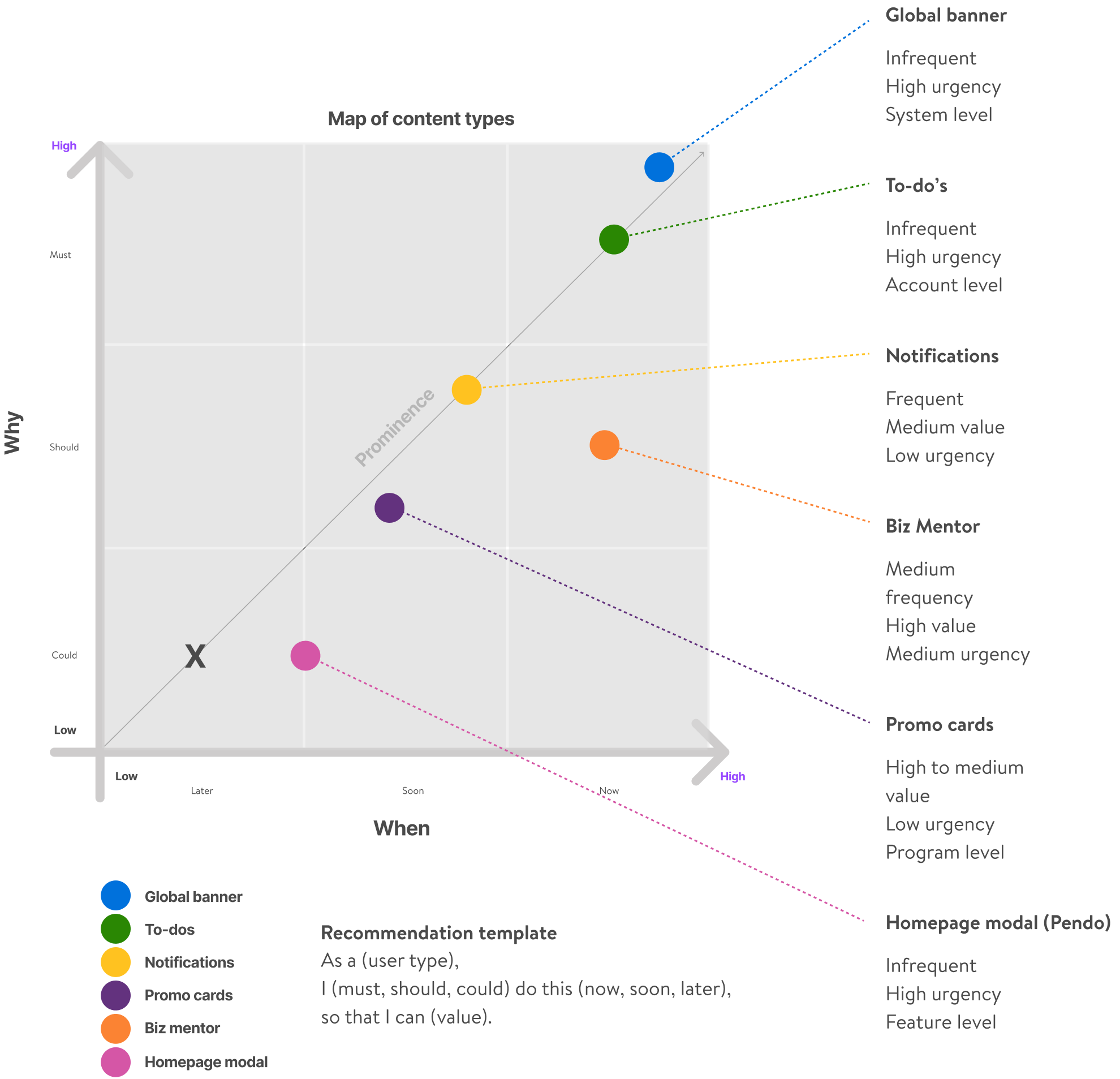
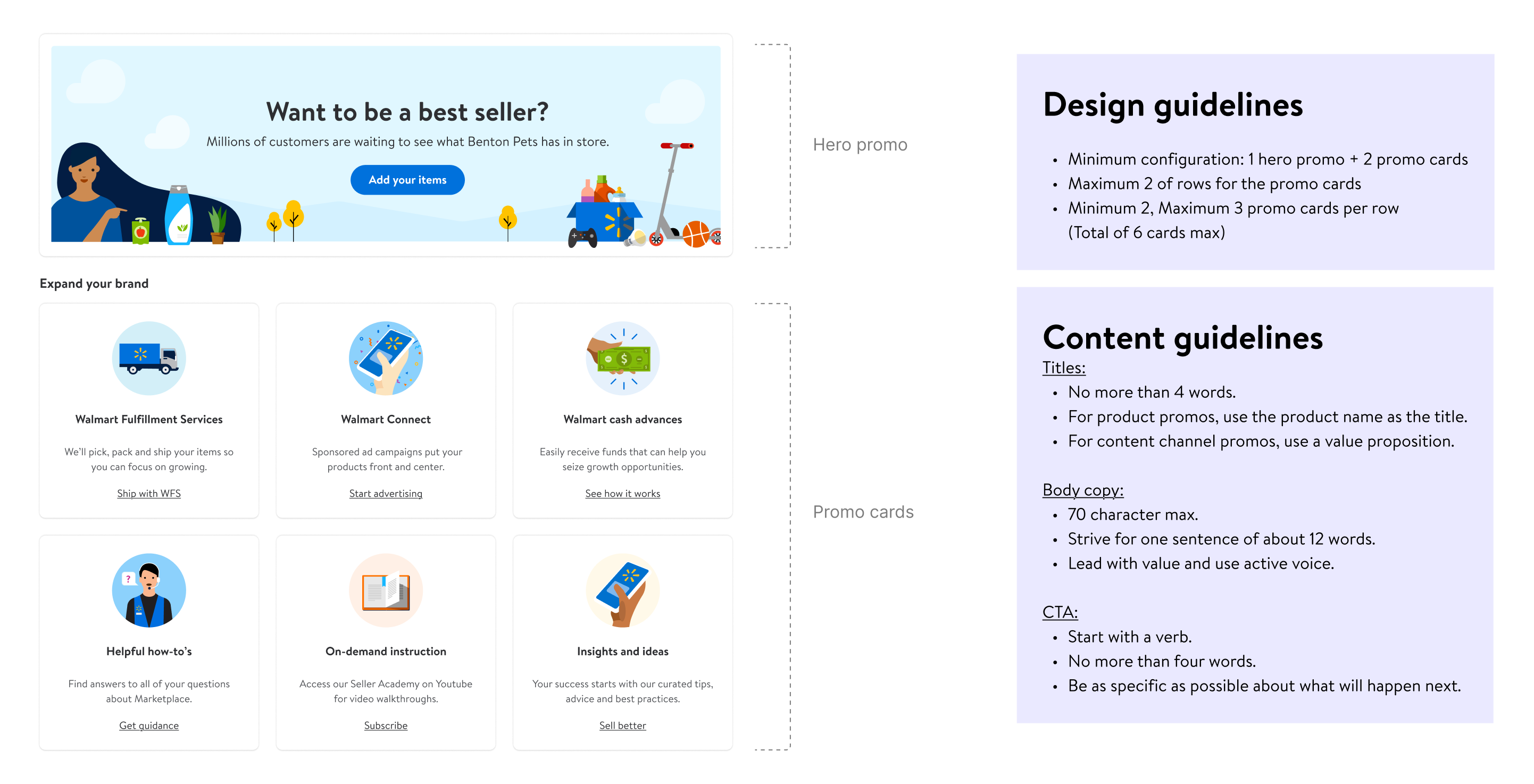
In collaboration with the Content Designer, we developed a framework to determine what content belongs on the homepage and where — including where seller alerts should be routed, how each module is prioritized, and when content appears or retires based on the seller's lifecycle stage.
Promotional banners were a major pain point — they'd pile up, go stale, and drown out more important tasks. I designed a lifecycle system that controls how banners appear, surface, and expire.